From figuring out RSS feeds and distribution to landing on the perfect show name, creating a podcast is no easy task. In many ways, it’s all in the details. However, two of the most important requirements are dependable hosting and a high-quality podcast website.
Still choosing where to host the show? See Blubrry alongside other providers in the podcast hosting platform guide for 2026.
Blubrry is a legacy podcast hosting platform. It’s around for 20+ years, and helps people host their shows. In many ways, Blubrry isn’t up to modern tech standards – your dashboards, websites and everything else might look a little outdated. The websites offered by Blubrry are mostly basic, although they do offer the “PowerPress” WordPress plugin in case your site is hosted there.
In this post, we’ll show you the best way to create a proper website for your Blubrry hosted podcast.
An Introduction to Blubrry
Blubrry’s software offers a podcast hosting and publishing platform. This tool is user-friendly and can provide you with powerful statistics about your show:
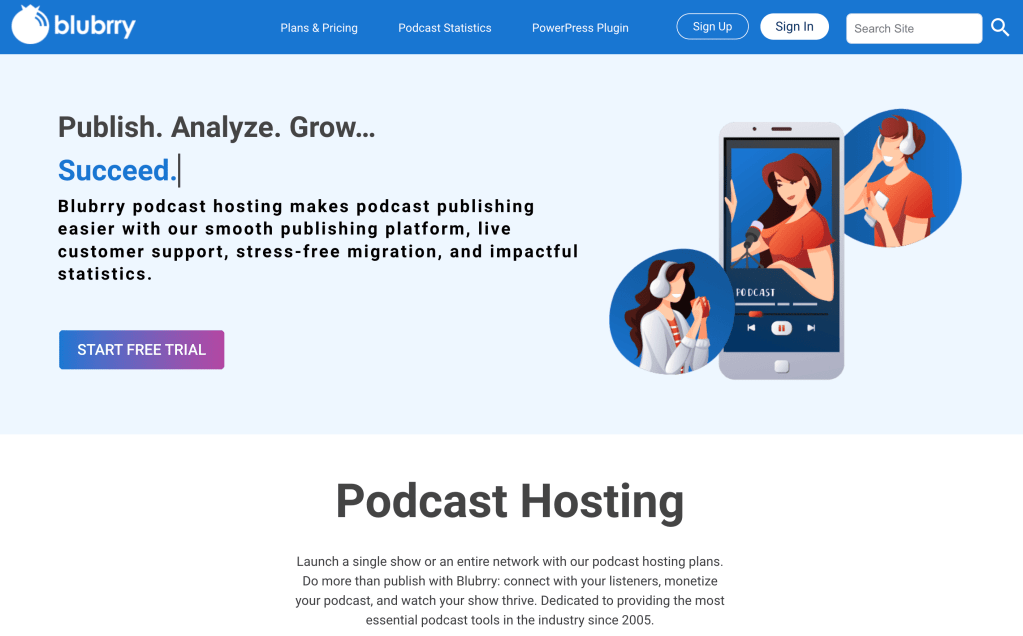
While Blubrry’s website features are quite limited, you can still set up a simple page or use WordPress to create a website. This works if you don’t plan on creating a real website for your podcast, but lacks customizability and flexibility for those who do rely on a website.
Why you may need more than Blubrry’s default podcast websites
Blubrry’s basic site is simple, so naturally it has a few major disadvantages. Most importantly, it only allows for minimal information and almost no customization.
In most cases, a full, multi-page website will be essential if you want to run a successful podcast. When your show has its own fully-developed podcast website, you can reap the benefits. For instance, it will almost certainly boost your reputation and listener engagement. Plus, a dedicated site can help with SEO to grow faster.
The best Blubrry alternative for hosting podcasts and websites
A dedicated, modern platform like Beamly can be a game changer if you’re using Blubrry. It offers a ton of flexibility, automation options, and podcast-focused features. Not only would you be able to create a full podcast website, with support for gated content, built-in comment sections, dynamic widgets, drag & drop page building and a lot more, but you’d also be able to host your podcast.
A proper podcast website will make it easier for you to monetize your podcast. If you need inspiration, you might want to check out some of the best podcast website examples.
How to Create a Podcast Website With Blubrry and Beamly (3 Essential Tips)
This is where Beamly comes in. Beamly’s is the best alternative to Blubrry’s dated hosting + website solution. Beamly also offers free migrations so you can move your podcast off of Blubrry.
1. Build Multiple Pages to Create a Content Hub
When you can create multiple pages for your podcast website, the possibilities are endless. Here are some ideas for pages to include:
- About/Home. This is where you can include the perfect description for your show. You can tell your story and explain your mission.
- Episodes. It’s best to have a designated area for episodes. That way, you can include detailed show notes. You might even want to make subpages for each episode.
- Contact. This page is essential both for listeners and potential podcast guests. It’s best to use a contact form here.
- Newsletter. If your show sends a weekly email supplement, you would be wise to broadcast it front and center on your site. You could also include an opt-in form on this page.
- Shop/Merchandise. You might not need this page when you’re starting out. However, if your show becomes popular enough to sell merchandise, you can sell digital products here.
- Blog. You may want to transform each episode into a blog post via transcription. Alternatively, your blog can provide updates or articles related to the information you cover on your show.
Chances are, you won’t need all of these pages at the very beginning of your journey. However, including just a few can transform a simple, single-page website into a podcast hub for your listeners.
These pages can help build your authority and gain new listeners. Plus, creating these podcast-specific pages is simple with Beamly. Our tool uses one-click podcast importing, pre-made opt-in forms, subscribe buttons, email marketing integrations, and more.
2. Customize Your Site to Align With Your Podcast Brand
It doesn’t matter how good your podcast is; if you don’t establish a clear brand, it might be faced with skepticism. To put it simply, podcast branding requires you to create an image for your show.
This branding can include your logo, color palette, origin story, and mission. Essentially, it’s best to feature all of these elements on your podcast website cohesively.
Most importantly, though, it’s wise to place your podcast name and logo front and center:
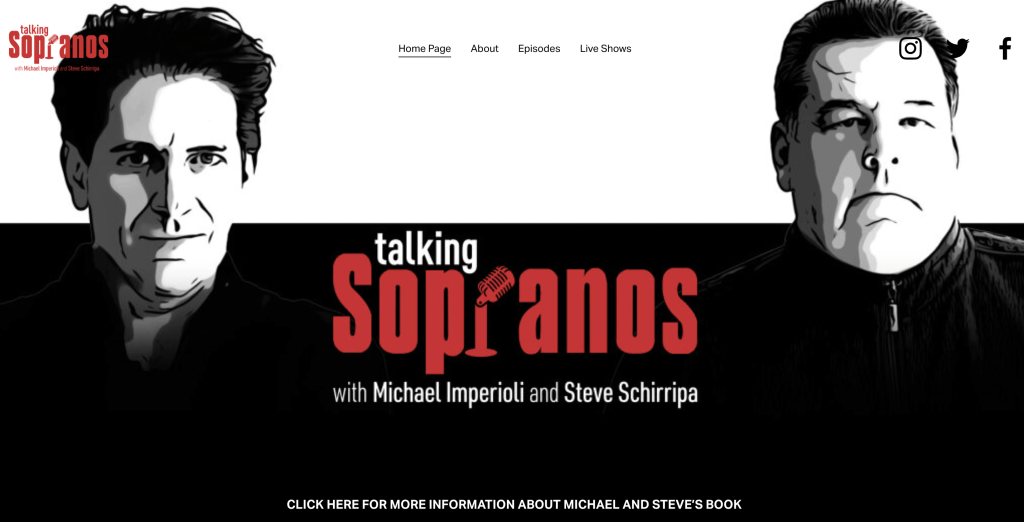
Presenting these elements professionally can help build brand recognition, especially when starting out.
If you’re not sure where to begin, it can be helpful to build your brand around a pre-existing podcast theme. This approach can save you time and money. However, you’ll want to make sure your site remains unique.
Additionally, Beamly can help you fine-tune the details. For instance, you can change the colors and controls on your custom audio player to match your branding.
3. Support Listener Engagement
Listener engagement can take many forms. Your fans can interact with your show’s reviews, blog comments, or even on social media:

This interaction is essential if you want to grow your audience. That’s because community and authenticity are vital in the podcasting world. With Beamly, you can add social icons anywhere on your site to encourage listener communication.
Using our Twitter integration, you can even post automated tweets with sound-bites for every episode. Built-in sharing options will also make it easier for your listeners to spread the word and boost engagement.
Conclusion
Starting a podcast can be overwhelming, especially when sifting through hosting options and website builders. The good news is that you can quickly and easily create a winning podcast site using Beamly.
To recap, here are some essential tips to consider when you’re making your podcast site:
- Build a multi-page content hub.
- Customize your site to align with your brand and increase your show’s recognition.
- Support listener engagement by enabling social sharing and displaying plenty of social buttons.
Do you have any questions about creating a podcast website for your Blubrry podcast? Reach out and let us know. We’re happy to help you migrate to Beamly.