After all the effort that goes into planning, recording, and editing your episodes, distribution is the step that puts your podcast in front of listeners. Choosing the right platforms can determine how discoverable your show becomes.
In this guide, we’ll cover how podcast distribution works, which platforms matter most, and how to make the process easier.
Step 1: Make Sure Your Podcast Is Ready
If you don’t already have a podcast, you probably wonder what is the process to start a podcast from scratch. The first step is choosing a podcast host. A podcast host stores your audio files, generates a custom RSS feed, and makes your show available online for listeners everywhere. Stability, speed, and reliability matter here.
With Beamly, you don’t need a separate provider for hosting – you can host your podcast audio and build your podcast website all in one place. When you upload episodes to Beamly and add details like your title, description, and artwork, we automatically create your RSS feed. You can then share this feed directly with your audience or submit it to podcast directories like Spotify, Apple Podcasts, and Google Podcasts.
Of course, there are many other podcast hosting platforms out there, each with different features and pricing plans. The key is to know what matters to you – storage, analytics, monetization, or migration options. But keep in mind that most of these providers only offer limited or basic website tools. With podcast hosting on Beamly, you get both hosting and a fully customizable website in one platform, so you don’t have to piece things together.
How to choose a podcast host – important questions
Choosing a single host from all these different competitors can be confusing. We recommend that you first figure out what you’re looking for from your podcast host, and create a list of requirements which you can use to compare between the companies:
- Do they offer enough storage space for your needs?
- Who owns the content?
- Pricing? Podcast hosting can range from free to hundreds of USD per month.
- Is there a limit on the audio file-size, number of monthly downloads, episodes, or shows?
- Do you have access to podcast statistics or analytics?
- Do they offer podcast monetization capabilities (if you are interested in those at this point)?
- Can you easily migrate from this host to another if you decide to move towards another host?
Only you can decide which host is the best according to your needs, so take a quick look at the list and choose the one you prefer.
How to record the audio for my podcast?
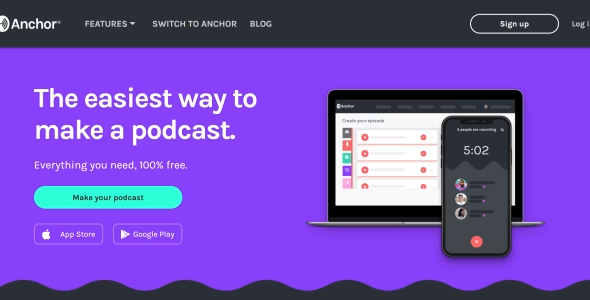
Some hosts will let you record on their platform (like Anchor), and some will ask you to upload audio files. To record the audio you can use Audacity (a free open-source audio recorder and editor). There’s much more you should know about recording and editing your podcast. We’ll cover it in a separate article so make sure to check back soon.
Podcast distribution
So now that you have chosen your podcast host, recorded and uploaded the audio to your host, you should be able to distribute it as well. What does “Podcast Distribution” even means? How can you distribute your podcast?
Well, in fact, your listeners can be using different apps, websites or platforms to find, subscribe and listen to podcasts. Distributing your podcast on more platforms means more listeners can reach your show, and use their favorite apps to do that. Here’s a short list of the popular podcasting platforms and directories (and links to how to submit your podcast in each one):
- Amazon Music
- Apple Podcasts
- Castbox
- Castro
- Deezer
- Google Podcasts
- iHeartRadio
- Listen Notes
- Overcast
- Pandora
- PlayerFM
- PocketCasts
- PodChaser
- Spotify
- Stitcher
The usual suspects are Apple Podcasts, Google Podcasts, Spotify, and Amazon Music. We like to call these “The Big Four”. Submitting your podcast to the platforms mentioned above (and as many other platform as possible) would make a difference and help push your podcast. The largest platform nowadays is Spotify. These platforms have become the most popular podcast apps, and most listeners would use these to find or listen to podcasts.
The next tier of apps would include other popular directories like Stitcher, TuneIn, Pandora, Podchaser, and the likes.
You can upload your podcast to each of the platforms by submitting your RSS feed manually in each platform. (technically speaking you don’t actually upload your podcast to these platforms, but you do submit your RSS feed in there.)
An easier way to do it is to use the podcast host. Most hosts already offer a way to publish and distribute your podcast automatically in many of those platforms. Make sure to check which are included with your podcast host and which you’ll need to add on your own.
To conclude – Podcast distribution
Is really important to submit your podcast to as many directories as possible if you really want to grow your podcast. Once you have your own podcast hosted somewhere with a valid RSS feed, you can get right into submitting it to different platforms.
Many hosting providers, including Beamly, can automate this process by distributing your feed to multiple directories for you. But even if you choose to submit manually, it’s usually quick – and some directories will pull from others, meaning your show may appear in multiple apps once it’s listed on a major platform.
To round out your distribution strategy, make sure you also have a dedicated podcast website. With Beamly, you can host your podcast and manage your website in one place. That way, listeners can not only find you on their favorite app, but also visit your site for show notes, bonus content, or premium episodes.