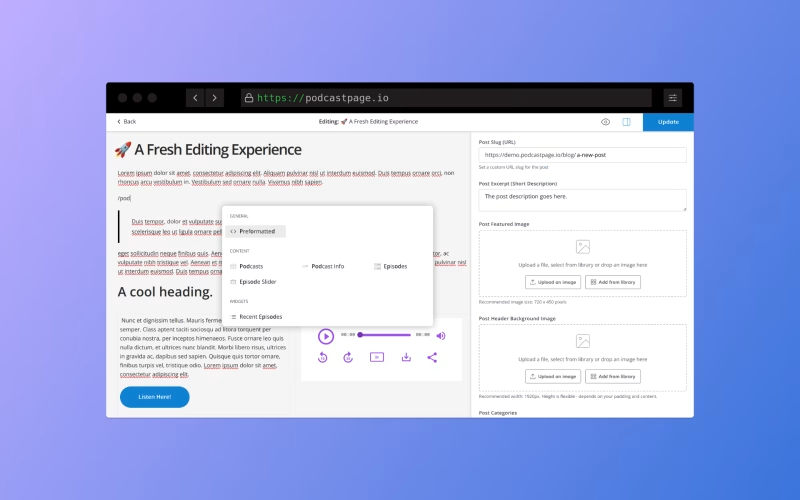
At Beamly (formerly Podcastpage.io), we know that your content is the most important part of your website. Websites with good content can go a long way, not only in the experience and value they offer visitors, but also in how they rank for SEO. Our brand new content editor makes creating content as fast, efficient and enjoyable as it can be!
We’re proud to roll out a completely rebuilt Content Editor. The new editor boosts productivity and functionality. Adding content to your blog, episode show notes, and other content areas has never been easier.
Previously, we’ve used a basic WYSIWYG editor box that really had its own set of limitations in what it could do. The new editor is far better – it’s more intuitive, faster to use and can be extended when needed. Here’s a quick breakdown of the editor and the newly available options –
What’s new in the Content Editor?
A modern, clean design – The new editor was completely rebuilt from scratch. It includes more options, and is much more intuitive and seamless to use.

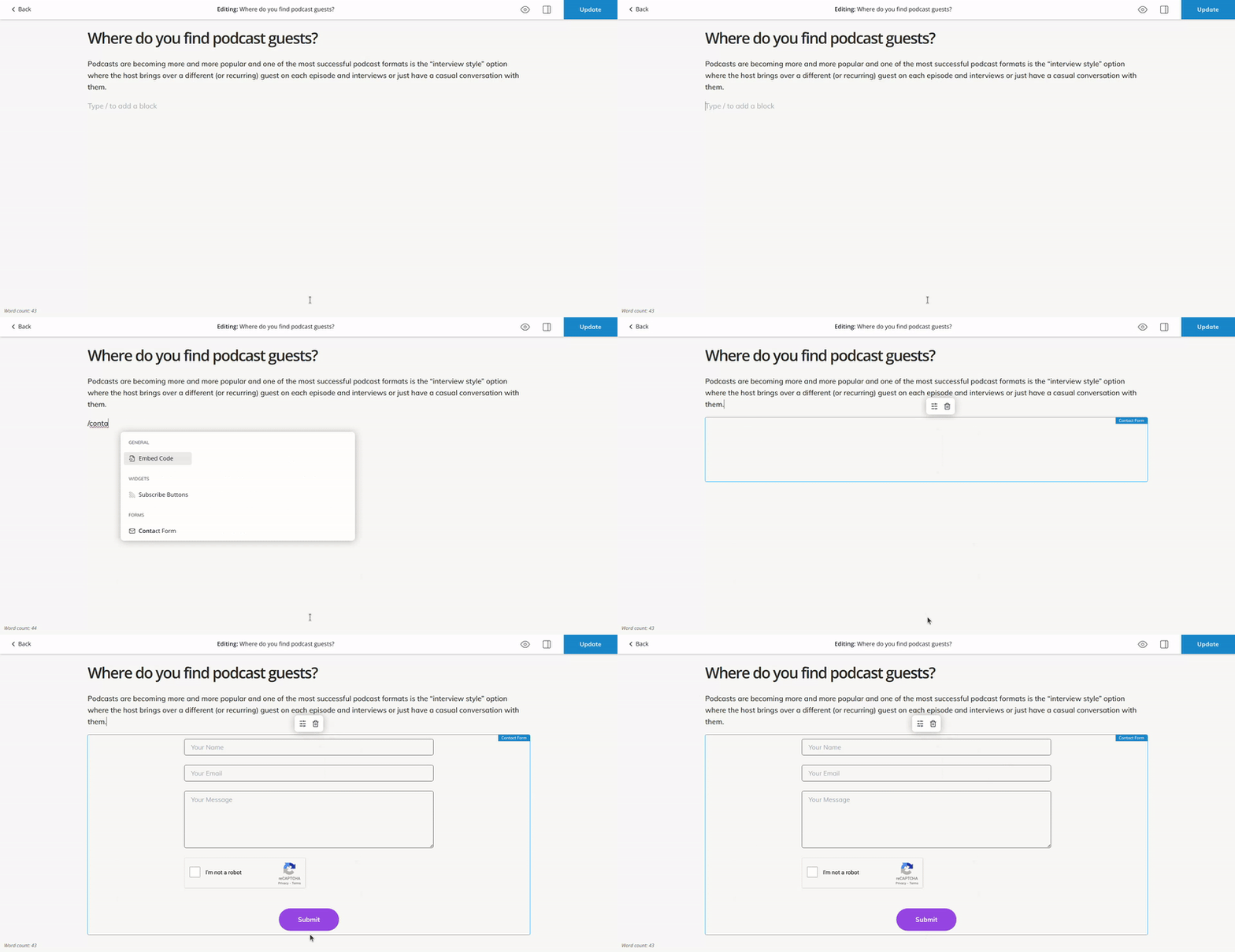
With built-in keyboard shortcuts, you can move fast without having to leave your keyboard! Simply type “/” to launch the shortcut menu and add new components, blocks and widgets.
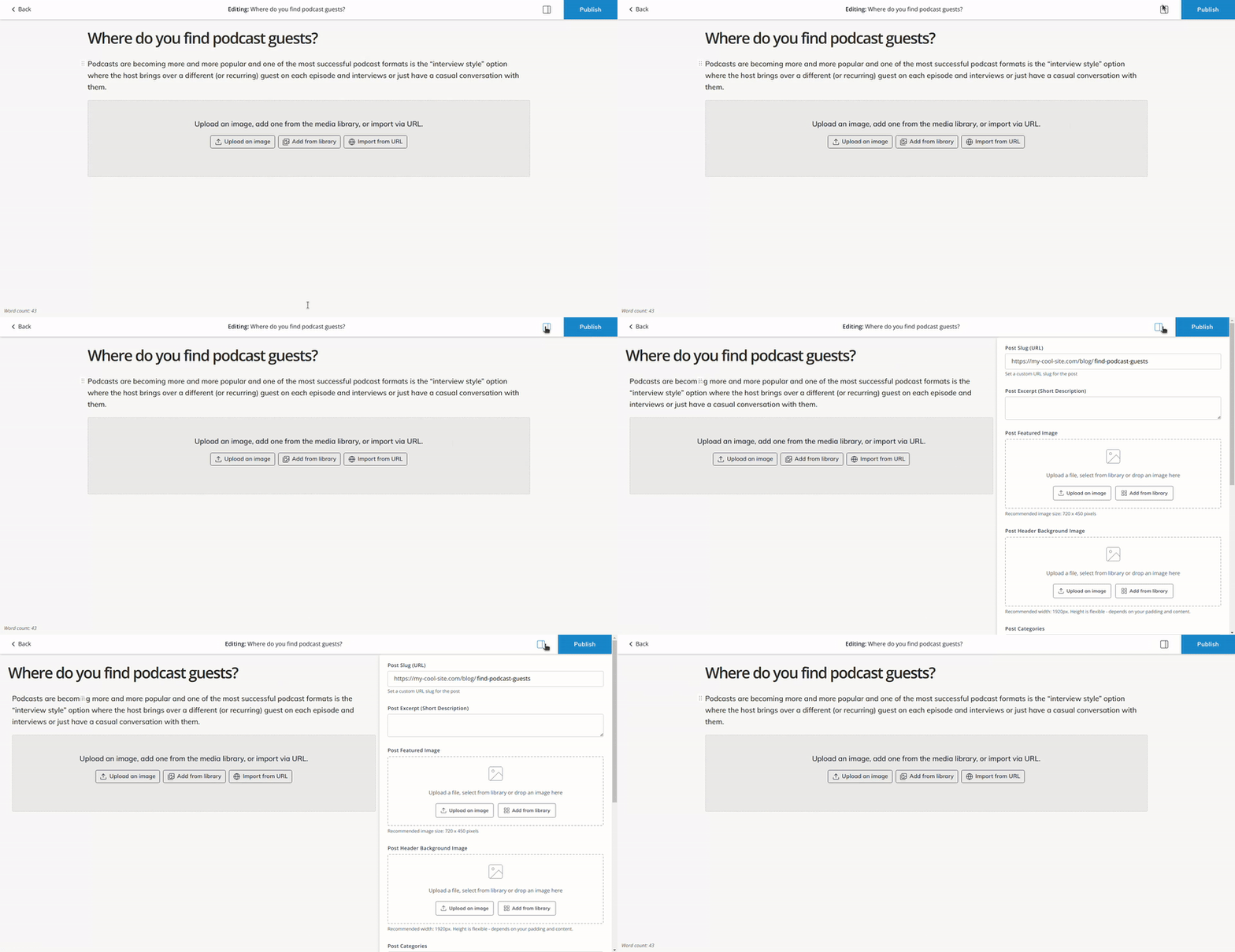
The blog post editor is now full screen – This helps previewing the layout and focusing on the content. (while managing the post settings via the sidebar when needed)
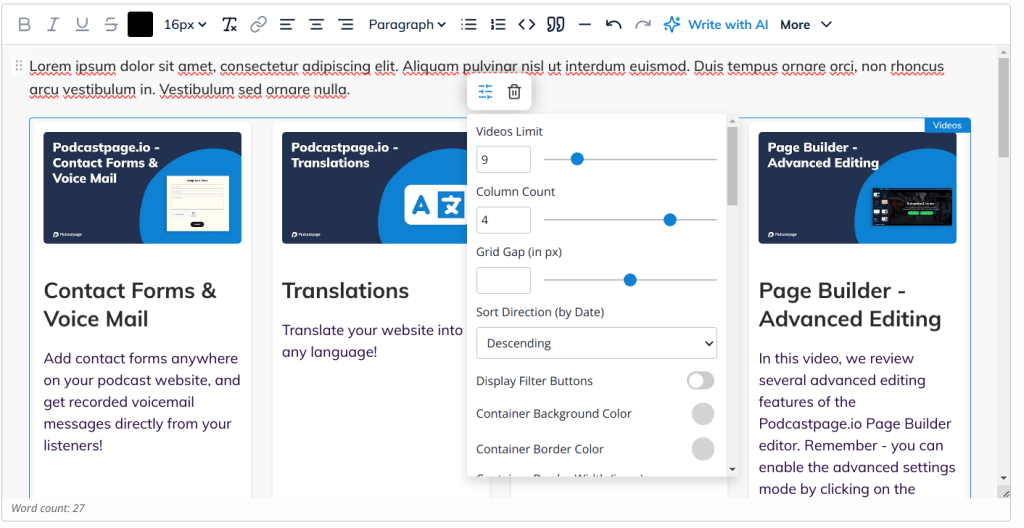
Full preview of custom widgets and blocks – Previously, custom widgets didn’t render within the basic editor. You can now add more widgets, customize all options, and see exactly how it’d look on your live website.
The new content editor joins our drag & drop Page Builder feature in offering the best website building experience we can. The combination of both editors gives you unlimited flexibility in managing your layouts on custom pages, your content areas and long-form content like blog posts or episode show notes or transcripts.
Check out the new editor in your Beamly dashboard today!