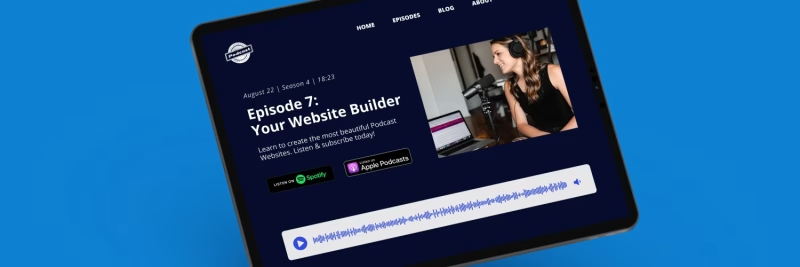
Creating a website for your podcast is a great idea. It helps establish a brand for your show, grow your audience, publish more content, and communicate with listeners directly. If you’re looking to create a podcast website, the big question is which podcast website builder is best for you.
Sure, it is possible to build a podcast website on almost any platform (or code it yourself), but podcast websites have a few unique needs: continuous RSS syncing, episode pages, audio players, subscribe buttons, and strong podcast SEO. If you’re searching for the best website builder for podcast websites, this guide compares the most common options – while keeping the focus on what actually matters for podcasters.
The best site builders for podcasters
This article reviews the best website builder options for podcasters. It covers the pros and cons of each approach, the key features to look for, and which type of platform tends to fit different goals and budgets.
Whether you’re just starting out with your first podcast website or thinking about switching from an existing solution, the goal is simple: pick a platform you can keep using as your show grows.
Short on time? The best podcast website builders in 2026 revealed
The best all-in-one podcast website builder in 2026 is Beamly – Offering podcast-first automation (RSS import + continuous sync), customizable media players, transcriptions, podcast reviews, built-in SEO, podcast hosting capabilities and monetization tools.
Feature Comparison: Top Podcast Website Builders
| Feature | Beamly | WordPress | Squarespace | Wix |
|---|---|---|---|---|
| Podcast First? | Yes | No (Requires plugins) | No (General purpose) | No (General purpose) |
| Auto-Sync RSS | Yes (Continuous) | Plugin required | Basic | Plugin/App required |
| Audio Player | Sticky & Global | Plugin dependent | Basic block | Basic player |
| Maintenance | None (Managed) | High (Updates/Security) | Low | Low |
| Platform Fees | 0% on memberships | Varies by plugin | 0-7% | Varies |
| Best For | Podcasters & Creators | Tech-savvy users | Design portfolios | General business |
What to look for when choosing a podcast website builder?
Creating a website that includes a podcast requires a set of features that is not always included in traditional website builders.
A podcast website is different than a typical blog or business site. Templates may look great, but the real question is how well they support podcasting workflows (and how much manual work is needed to keep your site updated).
The most important features to have on a podcast website
- Automatic RSS import + continuous syncing: Your website should import your podcast RSS feed automatically, including new episodes going forward.
- Episode pages: Each episode should get its own URL with show notes, metadata, and an embedded player.
- Great audio player: Ideally customizable, and ideally a sticky/global player that keeps playing while browsing the site.
- Podcast reviews: automatically import reviews or let visitors add their own reviews for social proof.
- Subscribe/follow buttons: Make it easy to subscribe on Apple Podcasts, Spotify, and other directories.
- SEO fundamentals: Control titles/meta descriptions, sitemaps, structured data (Schema), clean URLs, and easy redirects if you ever migrate.
- Transcripts and long-form show notes: Helpful for accessibility, engagement, and long-tail search visibility.
- Design flexibility: The ability to create a homepage, about page, blog, and landing pages – without fighting the platform.
- Growth tools: Email opt-ins, contact forms, guest intake, analytics, and social sharing.
- Monetization: Memberships, paywalls, digital downloads, sponsorship pages, or a simple store.
- Video podcast support: Many creators now publish video alongside audio. Look for YouTube import or native video hosting if you want both formats on one site.
The most popular podcast site builder categories
In practice, most solutions fall into a few categories:
- Dedicated podcast website builders: Podcast-first platforms built around RSS syncing, players, and episode pages and more (for example, Beamly).
- Mini-sites and link pages: Often provided by podcast hosting providers or link tools. They can be useful early on, but are usually limited.
- Generic CMS platforms: (Wix, WordPress, Webflow, Squarespace) – powerful, but podcast features are often not so simple.
- AI-driven builders: Lovable, Bolt, Base44 – these are all great for prototyping, but typically not built for ongoing podcast workflows (RSS sync, episode pages, podcast SEO) and long-term maintainability.
- DIY (custom build): Hiring a developer (or coding it yourself) for a fully custom site – you may get exactly what you’re after, but time and money are a big tradeoff.
Next, the most popular options are reviewed, along with when each approach makes sense.
Choosing the website builder that is right for you
The best podcast website builder for one podcaster is not necessarily the best choice for another. A few factors matter most:
- Podcast-first features: Do you need automatic RSS syncing, a sticky player, subscribe buttons, review imports, transcripts, guest pages, and podcast SEO features?
- Technical comfort level: Some solutions are easy out of the box, while others require hosting, plugins, and ongoing maintenance.
- Time and budget: Some options cost more in money, others cost more in time (or both).
- Your main goal: Are you focused on growth, branding, SEO, lead generation, monetization, or building a full creator hub that includes more than the podcast?
The best podcast website builder platforms in 2026
Choosing the right platform matters because switching later can be painful (especially if your episode URLs change). Here are the most common website builder options podcasters use.
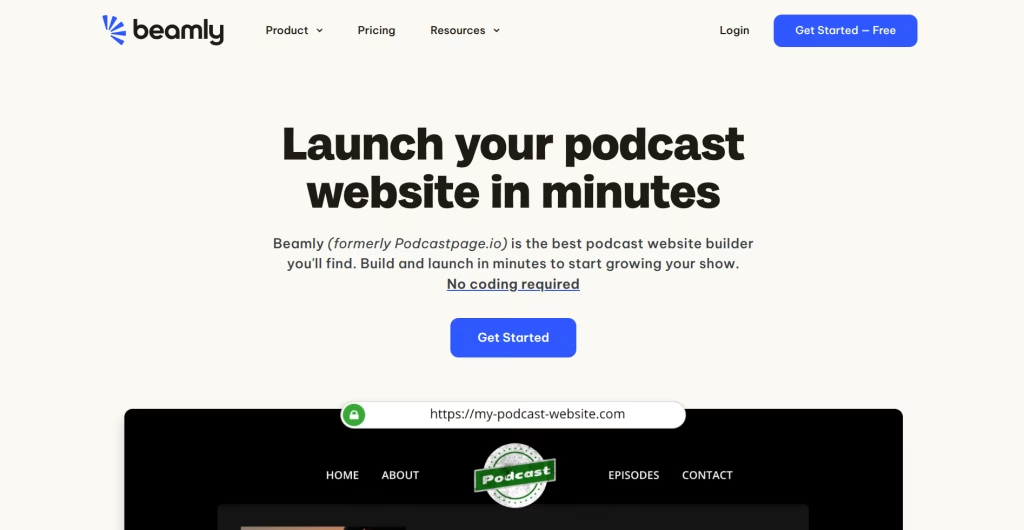
1. Beamly – The Best Podcast Website Builder
Beamly (formerly Podcastpage.io) is a podcast website builder that’s geared towards podcasters and creator brands. It helps creators build a full website quickly – with automatic RSS syncing, podcast-first layouts, and built-in SEO.
Beamly is no-code, but very flexible. A Beamly website can include multiple shows, unlimited episodes, blog posts, and custom pages. It also supports multi-format publishing – including YouTube channel/playlist import – which is useful for creators who want a single hub for audio, video, and written content.
Who Beamly works well for
- All podcasters who take their work seriously. You can do it all with Beamly – host your podcast (or connect your existing host to the site), import all episodes, transcripts and reviews, set up custom pages, guest intake forms, host/guest profile pages and more.
- Podcast networks that want multiple shows under one domain, with shared navigation and a unified brand.
- Creators who publish across formats – podcasts, videos (YouTube or native), blog posts, online courses, digital products – finally one place where you can build it all.
- Podcasters focused on monetization – memberships, premium episodes, digital downloads, and private RSS feeds (0% platform fees). It’s a great Patreon alternative for serious podcasters.
What Beamly handles out of the box
- Automatic RSS import + continuous syncing (no manual episode updates)
- Episode pages with clean URLs, show notes, and embedded players
- Customizable audio player (including sticky/global player options)
- Subscribe/follow buttons for the major podcast platforms
- Podcast SEO foundations (metadata controls, structured data, and sitemaps)
- Transcripts support (helpful for accessibility and long-tail SEO)
- AI tools for transcripts, show notes, and SEO metadata generation
- Reviews import (Apple Podcasts, Podchaser) and on-site review collection
- Guest/host profile pages and directories (useful for interview shows)
- Forms for growth (contact, guest intake, voicemail, email opt-ins)
- Monetization tools like memberships/paywalls and digital products (0% platform fees; Stripe fees still apply)
- Private podcasting with unique per-member RSS feeds (for premium content behind a paywall)
Start with a professionally-designed template, customize everything with a drag-and-drop editor, and connect your podcast RSS feed. Once connected, episodes import automatically and new episodes continue syncing without manual work.
“One of the best decisions I made for my podcast. If you’re serious about your show, you need Beamly. I’ve been on the platform since day one and it has been a total game changer.”
– Wassia Kamon
If the goal is to build a podcast website that is not just “a page”, Beamly is built for that – custom domain, strong SEO foundations, a modern website builder, podcast site templates, and options to monetize with memberships and products (0% platform fees; Stripe fees still apply).
How about multiple podcasts on one site? (for podcast networks)
If you have more than one podcast, Beamly can power a full podcast network website under one domain. Each show can have its own page and episode archive, while the network can share a unified design and navigation.
2. WordPress
WordPress is one of the most flexible ways to build a website. It is popular, widely supported, and can be customized heavily.
That flexibility comes with trade-offs. Building a podcast website on WordPress often means combining:
- A host + theme
- One (or more) podcast plugins
- An SEO plugin
- Caching/performance tools
This approach can work well, but it also creates ongoing maintenance: updates, security, plugin compatibility, and performance tuning. For some teams, that is fine. For many podcasters, it becomes distracting.
WordPress can be a good fit if you already have a WordPress site and want to keep everything in one ecosystem. If the goal is a podcast-first site that stays synced automatically without plugin stacking, a dedicated podcast website builder is usually easier.
3. Squarespace
Squarespace offers polished templates, solid blogging, and relatively simple setup. It is a strong choice for a design-first marketing site that embeds a podcast player.
For podcast-first needs (global/sticky players, multi-show aggregation, automated episode pages from RSS, transcript workflows, and memberships without workarounds), Squarespace may feel limited compared to dedicated podcast website builders.
4. Mini-sites and host-powered podcast pages
Many podcast hosting platforms offer a basic website or a one-page “podcast site” automatically. These mini-sites can be useful when starting out, especially if the only goal is to have a place to point people to.
The downside is that these solutions are often limited:
- Less design flexibility
- Fewer SEO controls
- Limited content types (usually no real blog or custom pages)
- Harder to scale into a real creator website
Link-in-bio pages also fall into this bucket. They can be useful as a temporary hub, but they are not a replacement for a real website.
If the podcast is growing and long-term SEO matters, it is usually better to move to a full website platform on a custom domain.
5. Wix
Wix combines a strong visual editor with a large app marketplace. It is popular for general-purpose websites, and it can be used for podcast sites via apps and embedded players.
For podcast-specific automation (continuous RSS syncing, podcast-first templates, review imports, multi-show support, and advanced workflows), Wix generally requires third-party apps or manual processes.
Other podcast website builders worth considering in 2026
The options above cover the main categories most podcasters choose from. A few other names often come up in “podcast website builder” searches like Podpage or OnPodium are very basic, you may be able to create a site, but scaling and creating custom page layouts and more types of content is often not possible.
FAQ: Podcast website builders
What is the best podcast website builder?
The best option depends on what “best” means for your show. If podcast-first automation and long-term SEO matter (RSS sync, episode pages, sticky player, transcripts, and growth tools), a dedicated platform like Beamly is built for that. If the goal is a simple marketing site with a podcast embed, a general-purpose builder may be enough.
Can a podcast website be built for free?
Sometimes. Many podcast hosts provide a basic mini-site, and some website builders offer free plans. If you’re specifically looking for a free podcast website builder, starting with a host-powered mini-site can work short term, but the trade-off is usually limited SEO control, limited customization, and weak branding (subdomains, platform logos, or restricted features). For a serious show, a custom domain is usually worth it.
Do podcasts really need a website?
A website is not required to publish a podcast, but it is one of the best ways to build an owned audience (email list, memberships), improve discoverability via search, and create a real brand presence. For more detail, see why you should have a full website for your podcast.
What should a podcast website include for SEO?
At minimum:
- Separate, indexable episode pages (with clean URLs)
- Strong show notes and internal links between related episodes
- Transcripts (when possible)
- Podcast schema / structured data, sitemaps, and editable metadata
- Fast performance and mobile-friendly layouts
Is WordPress good for podcasts?
WordPress can be excellent, especially for teams that want full control and do not mind the maintenance. The downside is that podcast functionality usually requires multiple plugins and ongoing updates. Many podcasters eventually switch to a podcast-first platform to reduce complexity.
How can a site be refreshed without losing SEO rankings?
Keep the URL structure stable, preserve internal links, and use 301 redirects for any URLs that must change. Avoid removing content that earns long-tail traffic (like episode pages or key informational sections). Adding genuinely helpful sections (comparison table, FAQs, migration tips, clearer recommendations) is usually safer than rewriting everything from scratch.
Conclusion – podcast site builders reviewed
There are many ways to build a podcast website. The important questions to keep in mind when choosing a podcast website builder are:
- How easy is it to keep the site updated without manual work?
- Is it flexible enough for your podcast and your broader content plans?
- Does it support strong SEO (episode pages, metadata, schema, sitemaps, redirects)?
- Will it help grow and monetize your audience over time?
For podcasters who want a podcast-first website that stays synced automatically, publishes on a custom domain, and supports growth with built-in SEO and monetization, Beamly is designed to check those boxes. Check a couple of podcast website examples if you need some inspiration.