The life of a content creator isn’t always easy. Whether your run a small podcast, a large podcast network, a blog or a YouTube channel, you know that getting engagement and traffic is one thing, but monetizing your content and audience is a different story. If you’re using Beamly (formerly Podcastpage.io) as your website builder, that’s about to change. Selling memberships and paid subscriptions directly on your website can be key to growing your brand or business, generating sustainable income and success.
Being supported directly by your audience is one of the best ways to monetize your content. Sure, other revenue streams like ads and affiliate links aren’t going anywhere, but premium memberships can unlock more possibilities and provide recurring revenue.
For the past few years, Beamly has been dedicated to helping podcasters and creators build better relationships with their audience through their main website. We’re committed to giving you 100% ownership and control over your website and content, and now your audience gets into the picture as well.
Introducing Website Memberships
We’re very excited to launch our built-in suite of membership features. It’s now available on all Beamly sites. We’re committed to making it effortless to offer premium content and memberships on your own website. You won’t longer need to rely on 3rd party apps or podcast platforms to do this for you – everything is fully integrated with your own website. Whether you have a hobby podcast, a blog, a YouTube channel or simply an all-around content-based business – this is a game changer.
This new set of features allows you to offer private/premium content that’s only accessible behind a paywall. (or free content that requires your website visitor to sign-in with their email). You can create multiple paid membership tiers/plans while managing a free plan as well.

Gated content
You’re not just limited to selling premium podcasts. You can set any of the following types of content as “private” and only allow access with a free or paid plan:
- Your entire Blog or individual blog posts.
- Entire Podcast(s) or individual episodes.
- Entire Video Channel(s) or individual video episodes.
- Website Pages
Once you set an episode, video, page or blog post as private, signed-out visitors would not be able access the full content (or use the audio/video player). They could still see the title, metadata and page, but the gated content becomes inaccessible. (Note – When you set your entire podcast, video channel, or full blog as private – all related/child individual entries automatically become private as well.)
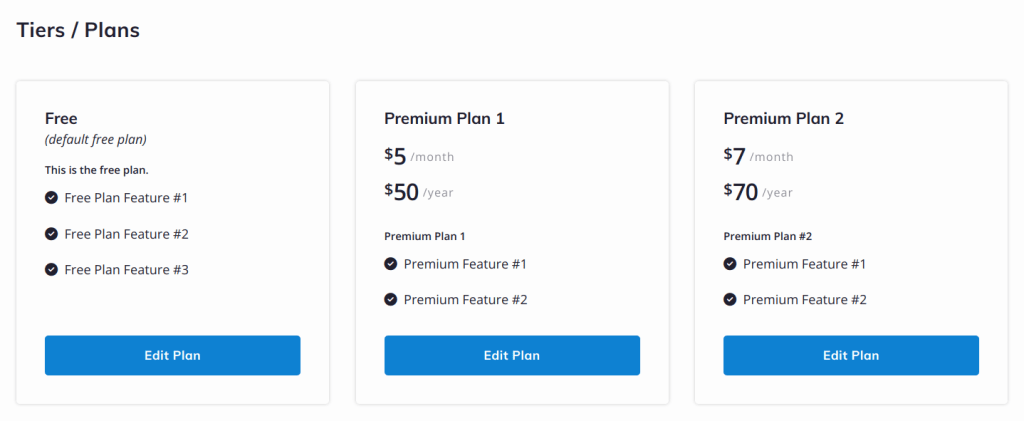
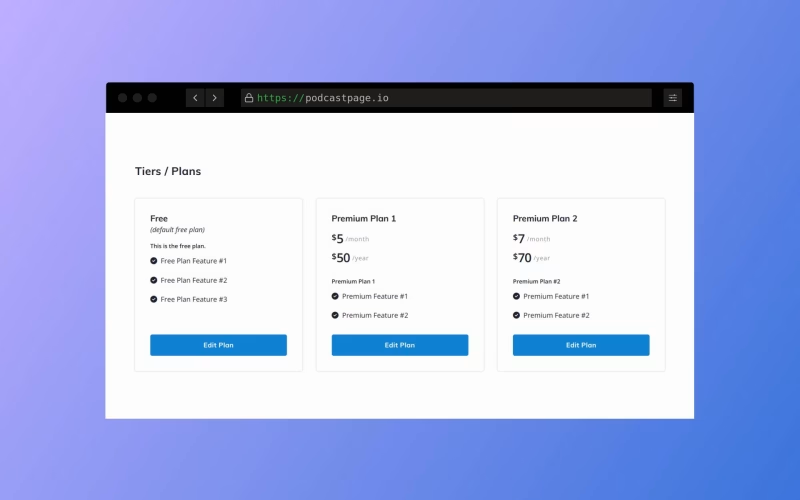
Create custom membership plans
All sites include a default “Free” plan. You can customize that plan, or hide it from your website if you prefer. You can include any type of content on the Free plan, customize the description, or add a list of benefits/features etc.
With the Memberships Add-on, you can connect your Stripe account and add unlimited paid tiers/plans. With premium plans, you can set up a recurring monthly and yearly price. Members would have to go through a checkout process in order to complete their subscription.
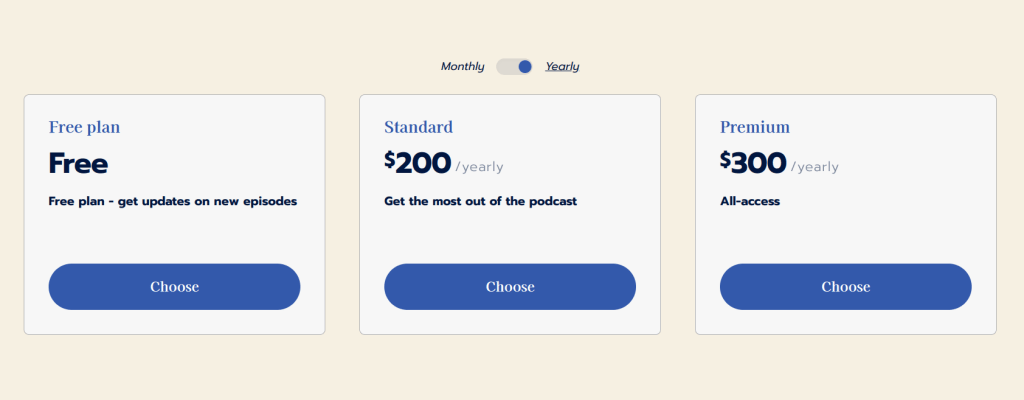
New widgets and layout options
- Login Widget – Let your website members log in and access content that’s otherwise unavailable.
- Signup Widget – Add a signup widget on your site (similar to an opt-in form) – collect emails from free members and offer gated content in exchange.
- Plans Widget – List your free/paid plans anywhere on the website.
- Account / Login link in navigation – Easily link to the new /account page (where logged in users can manage their account and plans) directly from your site’s navigation.
- CTA Widget – On individual entries, show a CTA section to encourage visitors to upgrade their account in case they don’t have access to the entry.
- Gated content – There’s now a “members-only” icon and text in content lists.
The above Login, Signup and Plans widgets are now available on all your pages and content areas. The CTA widget shows up on your individual content pages.
How pricing works for the Memberships Add-on
We’ve partnered with Stripe (the largest online payment processing company) so you can accept secure and hassle-free payments from around the globe.
While some companies take a hefty percentage/piece of your earnings, we do not. You heard that right – as in 0% transaction fees! (Stripe fees apply – about 3.6% + 30¢ per transaction, for processing and billing fees. Check the list of supported countries to see if you can use Stripe in your country.)
All existing and new websites immediately get access to the built-in free membership plan. You can start using it to restrict content. This would require your website visitors to sign-up before they can access that content. On the Podcaster plan, there’s a limit of 150 free members. The Business plan limits free members to 400.
When you are ready for more members or to add premium (paid) memberships plans – you will have to upgrade your account with the newly available Memberships Add-on. You’d instantly get the option to set up unlimited membership tiers/plans, add more gated content, and accept payments with Stripe. The Add-on price depends on the number of subscribers you need. Pricing starts at $20/mo (or $16.67/mo when paid annually) for 1,000 free + paid members.
Wrapping up
Paid Memberships opens up a world of possibilities for creators. Whether you’re looking to offer a private podcast, exclusive content, build a community, or simply monetize your hard work, this feature provides all the tools you need to succeed.
We’re so excited to see how you use this set of features to grow your website and business.
This is probably the largest update we’ve ever released to date! We are going to double down on this feature now, so expect a ton of additional functionality to follow.
Earlier this year we’ve released a fully rebuilt Content Editor, to highly improve the experience working on content within key areas of the platform. Many new features are already in the works, but we always welcome your feedback if you have suggestions, bug reports or new ideas.
Check out all these new features in your Beamly dashboard today!