Starting a podcast is straightforward these days. You don’t need much gear, and many podcasters get started just by using their phone to record before investing in proper equipment.
Podcasting is also getting more and more popular as a medium. Around 55% of the US population (over the age of 12) now listens to a podcast every month, and the barrier to entry is lower than almost any other content format.
At Beamly, we’ve helped thousands of creators build, launch and monetize podcasts or podcast websites since 2019 (originally as Podcastpage.io). We’ve seen what separates shows that publish two episodes and vanish, from shows that are still growing years later. This guide walks through the full process of starting a podcast, from planning and recording to distribution, growth, and monetization, with a focus on launching a show you can keep around for the long term.
Plan your podcast before you record
Jumping straight into recording without a plan is the fastest path to a show that fizzles out after a handful of episodes. Upfront scripting and planning prevents most of the common pitfalls.
Choose a topic
The podcast topic will determine the structure, tone, and longevity of the show. A strong topic sits at the intersection of three things: genuine interest, some form of expertise or perspective, and audience demand.
Test the topic with a simple exercise. Write down 25 episode ideas. If the list comes easily, the topic has legs. If it stalls at 8 or 10, the concept might be too narrow or not interesting enough to sustain a regular publishing schedule.
Niche topics often outperform broad ones. “A podcast about business” competes with thousands of shows. “A podcast about bootstrapping SaaS companies as a solo founder” serves a specific audience that larger shows overlook. The more specific the topic, the easier it becomes to attract and retain dedicated listeners.
Across podcasts built on our platform, shows that launched in a narrow niche consistently attracted more engaged audiences than broad-topic shows. A focused topic is great because you’d probably see more engagement from your listeners, but it also makes SEO and discoverability more effective because specific phrases face less competition than generic ones.
Define the audience
Every content decision gets easier with a clear picture of the listener.
The most useful exercise is to describe the listener’s situation, not only their identity or demographics. Write down the specific moment when this person would reach for a podcast: commuting to a job they are trying to leave, prepping for a client call they feel underqualified for, or running a solo business and wanting to hear from someone a few steps ahead.
That situational framing changes the show. When your listener thinks, “this is for me”, you have a better chance of keeping them around for longer. This can help you shape episode topics, guest selection, tone, and even episode length.
Write a short listener profile and keep it visible while planning episodes. Revisit it after the first 10 episodes or so and refine it based on actual listener feedback, reviews, and engagement data. The profile will almost certainly shift once real listeners start responding, and that is a sign it is working.
Choose a name
Potential listeners will judge the show by its title before hearing a single word. Choosing a good podcast name is worth getting right, though it does not need to be perfect on day one. Names can always be updated later.
There are three common naming approaches:
Descriptive names tell the listener exactly what the show covers. “The Australian Finance Podcast” or “The Running Channel Podcast” leave zero ambiguity. This approach works for search discovery and is the most common choice for new podcasters.
Creative names add personality but sacrifice some clarity. “Behind the Bastards” or “99% Invisible” are memorable, but a new listener needs the description to understand the premise.
Personal brand names work when the host already has an audience. “The Tim Ferriss Show” and “The Joe Rogan Experience” succeed because the name itself carries weight.
Regardless of approach, keep the title under five words if possible, avoid anything hard to spell or pronounce, and check that the name is not already taken on Apple Podcasts and Spotify.
You can also try our free Podcast Name Generator tool to iterate and get inspiration on potential names.

Write a compelling description
The show’s description appears in every directory and is often the deciding factor between a follow and a scroll-past. Lead with the benefit to the listener or a good content hook. Mention what topics the show covers, who it serves, and what a listener can expect.
A strong description answers three questions in order: What is this show about? Who is it for? Why should someone listen? Your own credentials and background can follow, but they should never come first (unless you’re already well-known by name).
Include relevant keywords naturally. If the show covers travel destinations for digital nomads, phrases like “cost of living,” “nomad life” and “remote workers” can fit the description. This helps the show surface in directory search results without sounding forced.
Pick a format
Many shows combine formats. A weekly solo episode with a monthly guest interview keeps things fresh without creating a scheduling burden. Here are the most common ones –
Solo shows build authority and are the easiest to schedule. The trade-off is that talking alone into a microphone takes practice to keep engaging. Among creators on the Beamly platform, more than half of the podcasts are solo or interview shows. Those have always been popular with first-time podcasters, likely because they remove the friction involved with finding a co-host, scheduling, motivation etc.
Co-hosted shows bring natural conversation energy and split the workload. It’s great when you have good chemistry with your co-host, though coordinating schedules and agreeing on creative direction or motivation levels can differ. Develop a unique personality and expertise for each host, so that listeners can easily distinguish between them.
Interview shows provide access to outside expertise and built-in cross-promotion when guests share the episode. The challenge is booking guests, preparing questions, and developing solid interviewing skills. Building a guest pipeline three to four weeks ahead helps avoiding dead-ends, but you should always try to source the next ones if you want to release episodes consistently.
For more details on formats, explore popular podcast formats.
Decide on length and cadence
Episode length should match the content, not a target number. A news recap that runs 45 minutes may lose listeners. A deep-dive interview can even run 4+ hours (like the Lex Fridman podcast). Think about what the topic demands and how much time the audience realistically has.
The length is really flexible, but don’t push it either to make it longer or shorter – try to ask around for feedback and build according to that.
Publishing consistency matters more than frequency. People would start expecting that bi-weekly episode from you, so if you start skipping weeks, you might lose momentum.
Pick a schedule that is sustainable given available time and energy, then stick to it.
One practical way to find the right cadence: estimate how long it takes to produce one episode from start to finish (prep, recording, editing, show notes, publishing). Multiply that by the desired frequency. If the total exceeds the hours available each week, either simplify the production process or reduce frequency before launching. Burnout is the leading cause of podfade, and it almost always stems from committing to a cadence that was never realistic.
Some podcasters organize their shows into seasons, publishing a batch of episodes around a theme and then taking a longer break before the next season. This format is great for narrative or research-heavy shows and prevents burnout.
You can also record episodes in larger batches ahead of time, then release them slowly over a few months.
Equipment and recording setup
Good audio quality is the baseline for building a recurring audience. Listeners will tolerate an imperfect topic before they tolerate a noisy, echo-filled, or low-quality recording. This isn’t hard to produce, though, and also doesn’t necessarily require expensive gear. Recording from your closet with a <$100 microphone can really sound great already.
What you actually need
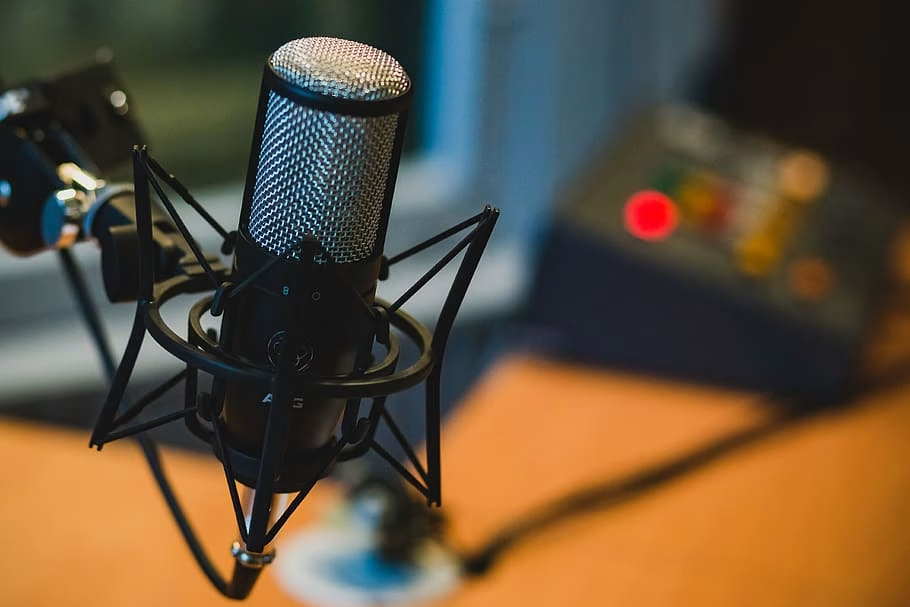
The essential kit for starting a podcast includes a USB microphone, a pair of over-ear headphones, and a pop filter. A quiet room with soft furnishings (bookshelves, rugs, curtains) handles most acoustic issues without investing in soundproofing foam.
For a first episode or a test run, a smartphone in a quiet room can be enough. For a show intended to publish regularly and attract subscribers, a USB microphone is the right starting point because it removes the biggest audio quality complaints (room noise, thin sound, inconsistent levels) without adding complexity. XLR setups are for podcasters who have already confirmed the show works and want to level up production.
Here are proven microphone options at three price points:
Entry level (< $100): The Samson Q2U and Audio-Technica ATR2100x-USB are both dynamic microphones with USB and XLR outputs. Either one delivers clean, broadcast-quality sound and works right out of the box. For a more comprehensive breakdown, check the essential podcast equipment guide.
Mid-range ($150-$250): The Shure MV7 was designed specifically for podcasters. It connects via USB or XLR and includes built-in tone adjustment.
Professional ($350-$400): The Shure SM7B is the industry standard for broadcast audio. It requires an audio interface like the Focusrite Scarlett 2i2 to connect to a computer, which adds complexity and cost.
Recording environment
Choose a small room away from street or household appliance noise. Close windows, turn off fans and air conditioners (if temperatures are bearable), and silence all devices. Hard surfaces like walls, glass windows, and wood floors reflect sound and create echo, so add soft materials (rugs, curtains, acoustic foam) wherever possible. Bookshelves filled with books make excellent natural sound dampeners.
Before recording a full episode, capture 30 seconds of silence and then 30 seconds of speaking. Listen back through your headphones or good speakers a couple of times. If the room echoes, add more soft materials or find another spot to record. You can try hanging a blanket on the wall behind the microphone, place a rug on the floor, or pull heavy curtains across the windows. A closet full of clothes is genuinely one of the best makeshift recording spaces available, and many professional podcasters record this way (or at least, did that t some point, especially when traveling).
Microphone technique
Position the microphone about three to four inches from the mouth, slightly off to one side rather than directly in front, and try using a pop filter. This reduces plosive sounds (the harsh pops on “p” and “b” words). Try to keep the same volume-range throughout the recording. (this makes editing easier afterwards)
Episode planning
Title episodes for discoverability
Episode titles are often an underused growth lever in podcasting. Directories and search engines index episode titles, so every published episode is an opportunity to appear in front of new listeners searching for specific topics.
A strong episode title does two things: it tells a potential listener exactly what they will get, and it includes words they would actually search for. “Episode 14 – Chat with Mike” does neither. “How Mike Built a 6-Figure Coaching Business With No Marketing Budget” does both.
Keep titles at about 60 to 70 characters so they display fully on mobile devices and in podcast app search results. Front-load the most important words because Apple Podcasts and Spotify truncate long titles in browse views. If the episode features a guest, lead with the topic, not the name, unless the guest is well-known enough that their name alone drives clicks.
Scripting
A full script works for narrative or educational shows where precision matters, but it requires practice to read naturally. An outline with bullet points and key phrases keeps the conversation focused without sounding rehearsed. Free-form works for casual co-hosted conversation-like shows, though it tends to produce longer recordings that need heavier editing.
For interview episodes, prepare 8 to 12 questions in advance and share 3 or 4 with the guest beforehand so they can think about their answers. Leave room to follow interesting tangents. The best interviews happen when the host listens actively and asks follow-up questions rather than just reading the next item on the list.
A quick pre-recording conversation with the guest (a few minutes before hitting record) helps both parties relax and establishes a natural flow before the actual recording begins.
Record your episodes
If you’re solo recording, Audacity (free, cross-platform) and GarageBand (free, Mac) cover the basics. For a more integrated approach, Descript handles recording and AI-powered editing in a single tool.
When you do remote interviews, dedicated tools like Alitu or Descript record each participant’s audio locally, which produces far better quality than Zoom’s compressed audio. For a deeper look at remote workflows, see how to record a podcast remotely.
Editing basics
Editing does’t need to be complicated. A solid baseline workflow covers five steps:
- Trim silence and false starts from the beginning and end.
- Remove obvious mistakes, long pauses, and excessive filler words.
- Balance volume levels so no part of the episode is drastically louder or quieter.
- Add intro music and transitions where needed.
- Export as MP3 at 128 kbps CBR (for stereo, or keep 96kbps for mono).
Over-editing removes the natural rhythm of conversation and can make a show sound sterile. Under-editing leaves in dead air and rambling that tests listener patience. A good rule of thumb is to cut anything that would make the listener reach for the skip button, but leave in the natural pauses or imperfect moments that make a host sound human. The goal is a good listening experience, but it doesn’t have to be extremely polished.
For solo episodes, tighter editing usually works better because there is no conversational energy to carry the audience through rough spots. For interviews and co-hosted shows, a lighter touch preserves the dynamic. Listen back to the first few episodes and ask a trusted person (ideally someone who represents the target listener) where they lost interest. That feedback is more useful than any editing checklist.
For a broader look at editing software options, see the best podcast editing software roundup.
Automations and AI
AI has changed the production workflow for podcasters more than any thing in the last few years. Manual tasks that used to take hours – transcription, audio cleanup, show note writing, clip selection – now take minutes or happen automatically.
Editing and audio cleanup. Descript remains the most complete AI-powered editing tool for podcasters. It transcribes the recording automatically and lets the creator edit audio by editing the text transcript – deleting a sentence from the transcript removes it from the audio. Filler word removal, silence trimming, and speaker leveling happen in a few clicks. Adobe Podcast offers a free tool called Enhance Speech that dramatically improves audio quality from poor recordings, which is especially useful for cleaning up guest audio from bad microphone setups or noisy environments.
Transcription. Descript or Otter.ai produce high-quality automated transcripts. Beamly also generates AI transcripts with clickable timestamps on the Business plan, and imports VTT transcripts from RSS feeds on all plans, so no manual transcription work is needed.
Show notes and episode summaries. Writing show notes for every episode is one of the most time-consuming post-production tasks. AI tools like ChatGPT, Claude, and Beamly’s built-in AI writing assistant can generate episode summaries, key takeaways, and SEO-optimized descriptions from a transcript in seconds.
Clip selection and repurposing. Descript also offers AI-powered clip detection that identifies the most engaging moments from an episode and packages them as short-form vertical videos ready for social media. This removes the need to manually scrub through a full recording looking for shareable moments. For creators who publish weekly, automated clip selection saves an hour or more per episode.
The practical advice is to let AI handle the repetitive, mechanical parts of production – transcription, cleanup, first-draft show notes, clip selection – and spend the saved time on the parts that AI cannot do well: choosing better topics, asking better interview questions, and building relationships with the audience.
Artwork, music, and branding
Cover art
Podcast artwork is the visual first impression in every directory and social share. Apple Podcasts requires a square image between 1400×1400 and 3000×3000 pixels in JPEG or PNG format.
Keep the design simple. Bold typography, high contrast colors, and minimal text perform best. Avoid cluttered layouts or small fonts that become unreadable at thumbnail size or mobile devices. Canva offers free podcast cover templates. For a more polished result, platforms like Fiverr and 99designs connect creators with professional designers.
Intro and outro music
Music adds polish and a recognizable sound across all your episodes. Avoid too lengthy intros that make listeners hit the skip button. Keep intro music at about 10-15 seconds or less and fade it under the voice as the host begins speaking. Royalty-free music libraries like Epidemic Sound, Artlist, and PremiumBeat offer tracks specifically suited for podcasts.
An outro is a good place for a call to action: asking listeners to subscribe, leave a review, or visit the podcast website.
Hosting, RSS, and distribution
What a podcast host does
A podcast hosting service like Beamly stores audio files and generates an RSS feed for the show. The RSS feed is a structured file that contains the podcast title, description, artwork, and a link to every episode. Podcast directories like Apple Podcasts and Spotify read the RSS feed to display and update the show automatically.
The RSS feed created by your podcast hosting provider is the single source of truth, and the directories pull from it. When a new episode is uploaded to the host, the feed is updated then every connected directory picks up the update automatically within a few hours.
Submitting to directories
Once your podcast host has at least one published episode or trailer, submit your RSS feed to the major directories. Start with these four:
Apple Podcasts – Still one of the most important directories for broad app coverage. Many podcast apps index from Apple’s catalog, so this submission expands your reach quickly.
Spotify – Usually available as a direct submission in your host dashboard. If not, submit manually through Spotify for Creators using your RSS feed.
YouTube or YouTube Music – A key discovery channel, especially if you also record a video version of your show.
After submission, check each listing for category accuracy, artwork quality, and description clarity. Small metadata fixes can improve early discoverability.
For a complete list of directories and submission guides, see where to distribute your podcast.
Create a podcast website
Directories are where listeners consume episodes, but a podcast website is where the podcast builds a brand. A dedicated website provides a home for show notes, transcripts, email signups, and supplementary content that directories cannot display. It also creates SEO value, making episodes discoverable through Google and other search engines.
A podcast website should include at minimum: an audio player, subscribe links to major platforms, an about page, episode pages with descriptions and transcripts, a contact form, and links to social profiles. Check out this podcast website examples article for inspiration.
Publishing transcripts improves accessibility and gives search engines text to index. Detailed show notes with timestamps, guest bios, and resource links increase the value of each episode page and encourage longer visits.
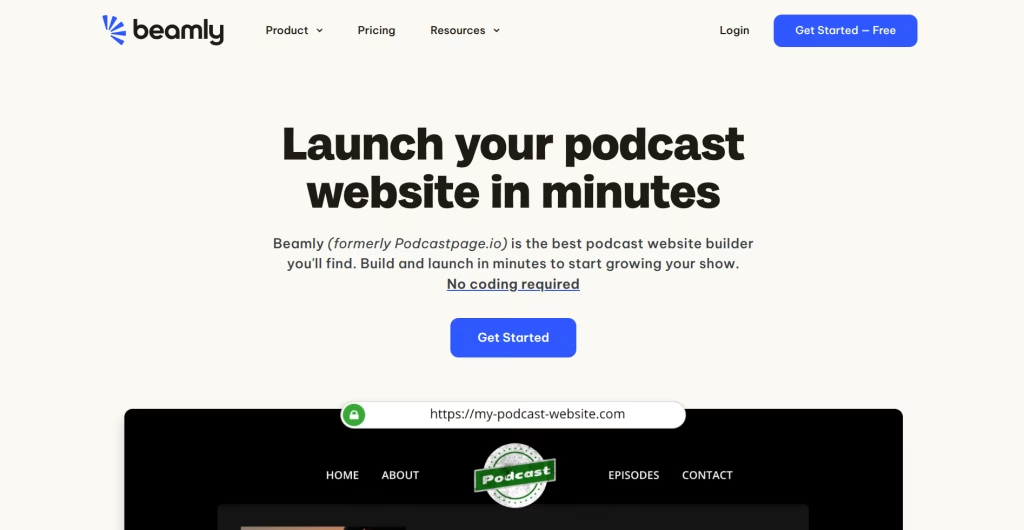
Beamly makes this process super simple. Connect an RSS feed from any podcast host (or start a new show), and the site auto-syncs episodes, artwork, and metadata. The platform includes a customizable audio player, AI-generated transcripts and SEO metadata, built-in email capture, and membership tools for premium content with 0% platform fees. For more on why a website matters, read why you need a podcast website.
Launch your podcast
A strong launch can create early momentum that helps the show surface in directory charts and recommendation algorithms.
Pre-launch
Record and edit 3 to 5 episodes before publishing anything. This buffer ensures a consistent release schedule in the early weeks while still learning the production workflow.
Publish a short trailer episode (60 to 90 seconds) 1 to 2 weeks before the first full episode. The trailer introduces the host, explains what the show covers, and gives potential subscribers a reason to follow before episode one drops. It also activates the RSS feed so the show can be submitted to directories ahead of launch day.
Prepare 2 to 3 short video or audio clips from the first episodes for social media promotion.
Launch day
Release 2 to 3 episodes on day one so new listeners can binge. A single episode gives a first impression, but multiple episodes build a habit.
Announce the launch everywhere: your email list, social media, group chats, and relevant online communities. Send personal messages to people who might genuinely enjoy the show rather than just broadcasting a generic announcement. Ask early listeners to subscribe and leave a rating. Early ratings signal quality to directory algorithms and improve the show’s visibility in browse and search results.
Do not expect massive numbers on day one. Most podcasts grow slowly through consistent publishing and word of mouth. Based on what we’ve seen across creators who launch on Beamly, the shows that reach a stable, growing audience almost always share this in common: they published on a consistent schedule for at least 3-6 months without too many gaps. Focus on serving those early listeners well, and absorb as much feedback as possible early on rather than chasing download counts.
Promote and grow your audience
Publishing episodes to directories puts the show in front of people already browsing for podcasts. Growing beyond that requires active promotion, but not all tactics deserve equal time, especially when a show is new.
The most efficient approach is to sequence promotion by effort and impact, rather than trying everything at once.
Start with the website and SEO foundation. Before promoting anywhere, make sure every episode has a page with a descriptive title, keyword-aware summary, and full transcript. This compounds over time and costs nothing beyond the initial setup. Podcasters who skip this step lose the biggest passive growth channel available. For a deeper guide, see podcast SEO.
Add social media clips once you have a production rhythm. Pull a 30 to 60 second highlight from each episode, add captions, and post it as a vertical video on Instagram, TikTok, YouTube Shorts, and LinkedIn. This is the highest-leverage active tactic for most new shows because it introduces the podcast to people who would never browse a directory.
Build your email list from episode one. Collect emails through the podcast website and send a brief note each time a new episode drops. Even a small list reliably outperforms social media reach because every email lands in the inbox. This is the only audience channel that no platform algorithm can throttle.
Pursue cross-promotion after 10 to 15 episodes. Appearing as a guest on other podcasts exposes the show to pre-qualified listeners, but hosts are more likely to say yes when the show has a track record and an audience. The same applies to episode swaps and shout-outs.
Layer in community engagement as the audience grows. Get active on Reddit threads, Facebook groups, and Discord communities related to the podcast topic. Bring value to conversations rather than just dropping links.
For the full breakdown, read our podcast marketing strategy guide.
Track your podcast performance
Publishing and promoting episodes without tracking results is guesswork. Basic analytics turns that guesswork into actual insights you can learn from and prepare better content, marketing efforts, and more realistic growth expectations.
Where analytics come from
Podcast analytics can come from multiple sources, and each tells a different part of the story.
The podcast host can usually provide download and listener data, or at least integrate with 3rd party analytic tools.
Individual platforms also provide their own dashboards, but those are limited to one platform only. Apple Podcasts Connect shows follower counts, episode completions, and listening duration. Spotify for Podcasters provides demographic breakdowns, discovery sources, and start-to-finish listening rates. YouTube Studio offers watch time, click-through rate, audience retention, and subscriber growth. Each dashboard reveals insights the others cannot, so checking all of them periodically gives the most complete picture.
A podcast website adds a third layer. Website analytics can show how people find episode pages, which episodes attract the most organic search traffic, where visitors come from, and whether they take actions like subscribing to an email list or playing the embedded audio player. This is the layer that reveals whether SEO and content marketing efforts are working.
What to actually track
Be specific on what you track. Find your north-star and focus on the metrics that resonate best with your growth efforts. Here are a few examples:
Downloads per episode in the first 7 days. This is the best apples-to-apples comparison between episodes because it normalizes for time. (you can also use 30 days if you prefer a stronger normalization) If episode 20 gets 40% more first-week downloads than episode 15, something about the topic, title, or promotion worked better. Figure out what that was.
Completion rate. A high drop-off in the first few minutes suggests the intro is too long or the hook is weak. A steady drop-off through the episode suggests the content is not holding attention. Completion rate is more actionable than total downloads because it reflects content quality rather than reach.
Website traffic per episode page. Shows which topics attract search traffic over time. Episodes that continue generating visits months after publication are strong SEO performers and signal topics worth revisiting or expanding.
Email signups and membership conversions. The metric that connects publishing to business outcomes. If traffic is growing but signups are flat, the call to action or the offer needs work.
Monetize your podcast
Monetizing can get tricky, but every show has to find its own business model at the right time. Trying to monetize too early can alienate the small audience that is just starting to form. Waiting too long means leaving revenue on the table and potentially burning out from producing a show with no financial return.
A practical way to think about it is in stages, tied to audience size or engagement rather than arbitrary timelines.
Stage 1: Under 500 downloads per episode. Revenue is not the priority yet, but building the infrastructure is. Set up a podcast website with email capture. If the audience is engaged, launch a free membership tier so listeners can opt in and create an account. This builds a list that matters later.
Stage 2: 500 to 5,000 downloads per episode. This is the range where direct monetization can start working. Introduce a paid membership with bonus content, ad-free feeds, or community access. Beamly supports paid memberships with private podcast feeds and 0% platform fees, so creators keep their revenue minus standard Stripe processing. Affiliate marketing also works well at this stage for shows that naturally recommend tools or services.
Stage 3: 5,000+ downloads per episode. Sponsorships become a solid option here. Advertisers typically pay based on CPM (cost per thousand downloads), with host-read ads commanding $18 to $50 CPM depending on the niche. At this stage, stacking multiple revenue streams (sponsorships plus memberships plus digital products) can create a stable revenue model.
Online courses and digital products can work at any stage for podcasters who build authority within a topic. The same knowledge that fuels episode content can be packaged into a paid course, ebook, or template set. Beamly lets creators sell digital products and courses alongside their podcast, keeping everything under one roof.
For a deeper breakdown of each model and how to set them up, read our podcast monetization guide.
How much does it cost to start a podcast
Starting a podcast for free is possible. Record on a smartphone, edit in Audacity or GarageBand, host on Spotify for Creators’ free plan. The audio quality will not be broadcast-grade, but it is enough to test whether podcasting is a fit before spending money.
Most creators who plan to publish regularly land somewhere between free and a few hundred dollars. The cost depends on how much production quality matters to the audience and how much time the creator is willing to trade for savings.
Three realistic budget tiers
Lean starter (under $200 upfront, under $20 per month): An entry-level USB microphone, a pop filter, and a pair of earbuds or headphones already on hand. Free editing software and a free or starter hosting plan. This setup produces clean, professional-sounding audio and is enough to build a real audience. The trade-off is time: editing, show notes, and promotion are all manual.
Mid-range ($300 to $600 upfront, $30 to $90 per month): A mid-tier dynamic microphone with a boom arm and on-ear headphones. A paid hosting plan with better analytics and distribution tools. A podcast website for show notes, transcripts, email capture, and SEO. At this level, the production sounds professional and the workflow supports consistent publishing. AI-assisted tools start saving meaningful time on editing and post-production.
Professional ($600 to $2,000+ upfront, $90 to $200+ per month): An XLR microphone and audio interface, dedicated recording and editing software, a podcast website with membership and monetization features, and optionally video equipment for a video podcast workflow. This tier is for creators who have validated the show and are investing in production as a growth lever, not a starting point.
Specific microphone and gear recommendations at each price point are covered in the equipment section above.
Where the money actually goes
One-time costs can get you a microphone, headphones, a pop filter, and optionally a boom arm or camera. These rarely need replacing or maintenance. Ongoing costs add up to $25 to $80 per month for most active podcasters, covering hosting, a website, and optionally a paid editing tool or music subscription.
Beamly starts at $30 per month (billed annually) with a 14-day free trial. That covers the podcast website, AI-generated transcripts and SEO metadata, an embeddable audio player, email capture, and membership tools with 0% platform fees. For creators who would otherwise pay separately for a website builder, a transcript service, and a membership platform, it consolidates those costs into a single tool. The pricing is based on audience size (starting at 1,000 members) and scales as the show grows.
Time versus money
Podcasting probably consumes more time than money. A solo creator handling everything from recording through promotion can expect 4 to 8 hours per episode in the early months. That includes preparation, recording, editing, writing show notes, creating social clips, and publishing.
AI tools can cut most of the time from the tedious tasks. Automated transcriptions, add AI-generated show notes and summaries save another, use tools for noise cleanup and loudness normalization, and so on. Outsourcing is another good option: freelance editing runs $30 to $75 per episode, and virtual assistants for show notes and scheduling typically charge $15 to $25 per hour. Outsourcing makes the most sense once the show generates revenue or when the creator’s time is more valuable spent on content and audience relationships.
Each podcaster plan their expenses differently, but generally we recommend to start lean, prove the concept works, and invest in the areas that either save the most time or have the biggest impact on audience growth later on. Expensive gear does not compensate for a weak topic, and a free setup does not always hold back a show with a strong one.
Video podcasting
Video podcasting has become a serious growth channel. Roughly 37% of Americans watched a video podcast in the last month (aged 12+, in 2025), and YouTube is now one of the top podcast discovery platforms globally.
Short vertical clips from podcast episodes also tend to outperform most other content formats on Instagram Reels, TikTok, and YouTube Shorts, making video a powerful driver of social media discovery even for shows that publish primarily in audio.
That aside, video adds production complexity. You can always start with audio-only and add video later on, or start with both and drop video if it’s overwhelming.
For shows where the format is naturally visual – interviews, co-hosted discussions, demonstrations – recording video from the start is worth considering because retrofitting video into an established audio show often means rethinking the entire setup.
The most practical approach for creators ready to add video is combined distribution – record the full conversation on camera, upload the complete video to YouTube, and publish the audio-only version through the standard RSS feed. This reaches both YouTube viewers and traditional podcast app listeners from a single recording session. A smartphone on a tripod, a basic light source, and a clean background are enough to get started. The same principle from the equipment section applies here – begin with what works and upgrade once the show confirms an audience.
Beamly supports video hosting alongside audio, so creators can display video podcast episodes on their own website with transcripts and show notes, capturing SEO value that YouTube alone does not provide.
Frequently asked questions
How do you find guests for a podcast?
Start with personal and professional networks. Post on social media and in niche communities. Use platforms like Podmatch or MatchMaker to connect with potential guests. Do not hesitate to reach out directly to people who seem out of reach. If you already have an audience – you can even ask on your podcast for potential guest matches.
What are podcast seasons?
Seasons group episodes into themed batches with breaks in between. They work well for shows that cover a topic deeply over several episodes (similar to a TV series) or for creators who need built-in rest periods to avoid burnout. Seasons also give a natural break to refresh artwork, update the description, or shift the show’s direction based on listener feedback.
What mistakes should beginners avoid?
One common mistake is over-investing in gear before recording a single episode. A $400 microphone does not help if the topic cannot sustain 20 episodes. Inconsistent publishing is another. Listeners forgive imperfect audio far more easily than they forgive unpredictable schedules. Many new podcasters skip promotion entirely and assume the directories will surface the show. They will not, at least not without external signals like reviews, website traffic, and social sharing.
How long does it take to produce an episode?
For a solo episode running 20 to 30 minutes, expect 2 to 4 hours total including preparation, recording, editing, writing show notes, and publishing. Interview episodes take longer because of scheduling and guest preparation. This time decreases significantly as the workflow becomes routine. Creators who use AI tools for transcript generation and show note drafts can cut post-production time roughly in half.
Is it too late to start a podcast?
No. While there are millions of podcast feeds in existence, only a fraction publish actively. According to Podcast Index, around 480,000 shows published an episode in the last 90 days. New shows with a focused niche, consistent publishing, and decent production quality still find audiences. The medium is mature enough that listeners know how to find shows, but not so saturated that discovery is impossible.
Do you need a website for a podcast?
A website is not required to publish a podcast, but it is one of the strongest long-term growth tools available. Directories do not share listener contact information, do not index well in Google, and do not allow email capture. A podcast website with transcripts, show notes, and email signup gives the creator a direct relationship with the audience and a compounding SEO asset.
Conclusion
The technical side of launching a podcast has never been simpler. Equipment is affordable, hosting is straightforward, and distribution to every major platform happens through a single RSS feed. None of that is the hard part really.
Showing up consistently when download numbers are still not there is rough. Many successful podcasts went through a stretch where it felt like no one was listening. The shows that survived that stretch usually kept publishing, improved their content and production quality, and listened to audience feedback.
Build a website early. It is the one asset that compounds over time and that you fully control, independent of any directory algorithm. Use it to publish transcripts, capture emails, and give listeners a reason to come back between episodes.
Ready to launch a podcast and a website in one place? Try Beamly free for 14 days and host your podcast, launch a website for it, and monetize with memberships or digital products.