
A paid podcast subscription tier is a great way to offer more value for your audience and generate revenue. However, many podcasters think it’s too much hassle to set up.
This all depends on the platforms and tools that you use to do it. With Beamly.com, you can build a beautiful paid podcast platform. Create your show, your podcast website, add your subscriptions, and restrict content access all from one dashboard.
In this post, we’ll discuss the reasons to sell subscriptions. Then, we’ll help you decide whether now is the right time to do it. Finally, we’ll walk you through launching a paid podcast subscription. Let’s get to it!
Why Should You Set Up a Podcast Subscription Program?
A podcast subscription is an effective way to make money from podcasting. Without subscriptions, you’re relying on podcast ads or affiliate marketing to make a money. As you may know, ads can be disruptive for your audience.
Unlike other monetization methods, podcast subscriptions can bring in recurring revenue. Charging a monthly subscription fee contributes to income stability:
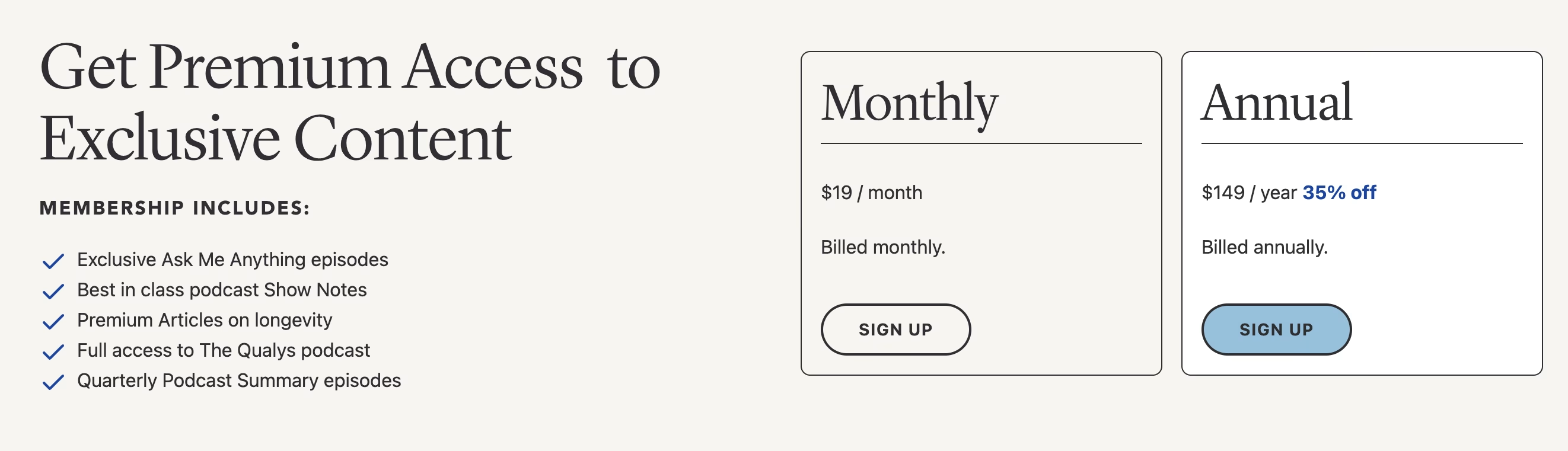
Not only that, but subscription memberships actually add value to your show. While we recommend keeping some content freely accessible (so you don’t limit your audience), premium plans typically offer bonus content like early-release episodes or community access.
As you might expect, a podcast subscription tier can be very helpful in building a thriving online community. Listeners are likely to feel more connected to your show, which helps nurture brand loyalty and trust. You can then leverage this to promote third-party products or sell merchandise.
Is It the Right Time to Introduce Podcast Subscriptions?
Not every podcast will succeed in launching a paid podcast subscription tier. Typically, it’s a viable option for shows with a unique value proposition that listeners can’t find elsewhere.
For example, you might create content within a super narrow podcast niche which means you’ll face less competition. You might also regularly feature high-profile guests, which motivates people to tune into your episodes.
A paid podcast subscription also makes sense if you’re looking to create a private podcast for a very specific purpose. You might sell online courses with a portion of your content being delivered via private podcast episodes.
Finally, a paid subscription program is unlikely to work without a substantial listener base. If you don’t currently have an audience, we recommend growing your podcast first. This will make it easy to attract paying members further down the line.
How to Launch a Paid Podcast Subscription Tier (3 Steps)
Now that you know whether podcast subscriptions are likely to work for you, here’s how to launch a paid podcast subscription tier.
1. Create a Podcast Website
The first step to launching a podcast subscription program is to create a website. This offers ultimate flexibility, and it ensures that you retain full ownership and control of your content.
There are lots of existing subscription platforms for podcasters, but these can restrict your audience base severely. Plus, the provider will pocket a slice of your earnings.
This is why it’s smart to create your own website. This will function as a central hub for all your content and gives you the opportunity to leverage podcast SEO strategies to gain visibility in the search results.
If you’re worried about the technicalities of setting up a website, you can use a website builder like Beamly:
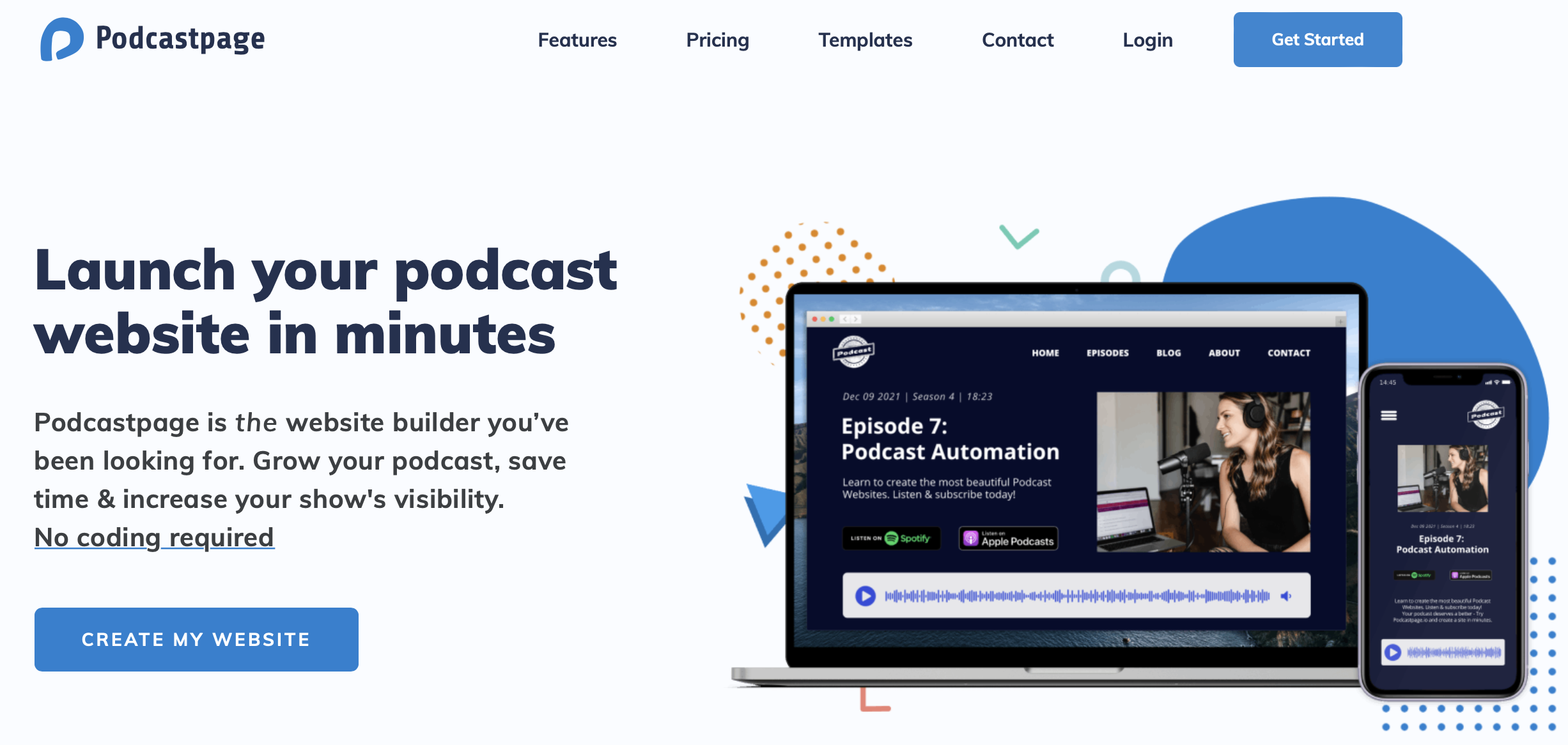
As the name suggests, this builder is designed specifically for podcasters, so you’ll get all the features you need including a customizable audio player and automatic episode imports.
To get started, supply some key details about your podcast and choose your favorite website theme, which you can modify later to reflect your branding. After that, you’ll get access to a user-friendly dashboard where you can carry out a range of tasks.
When launching a paid subscription tier, you’ll need to enable a payment gateway like Stripe. This means you’ll have to upgrade your Beamly account to use the Membership Add-On.
2. Add Your Subscription Tier
What’s great about Beamly is that it comes with membership functionality built-in, so you don’t need to mess about with third-party tools.
However, you’ll need the premium version of Beamly to accept payments on your site. Otherwise, you’ll only be able to create a free subscription tier.
We recommend doing this regardless, so you don’t block out too much of your audience. With a free plan, listeners simply need to subscribe via email.
To set this up, head to Memberships within the Beamly dashboard. Right now, you can just see the free tier, but the paid tier will work just the same. So click on Edit Plan:

For your paid podcast subscription tier, you’ll have to insert a name and description. If you’re not the best writer, you can utilize the built-in AI assistant to handle this for you:
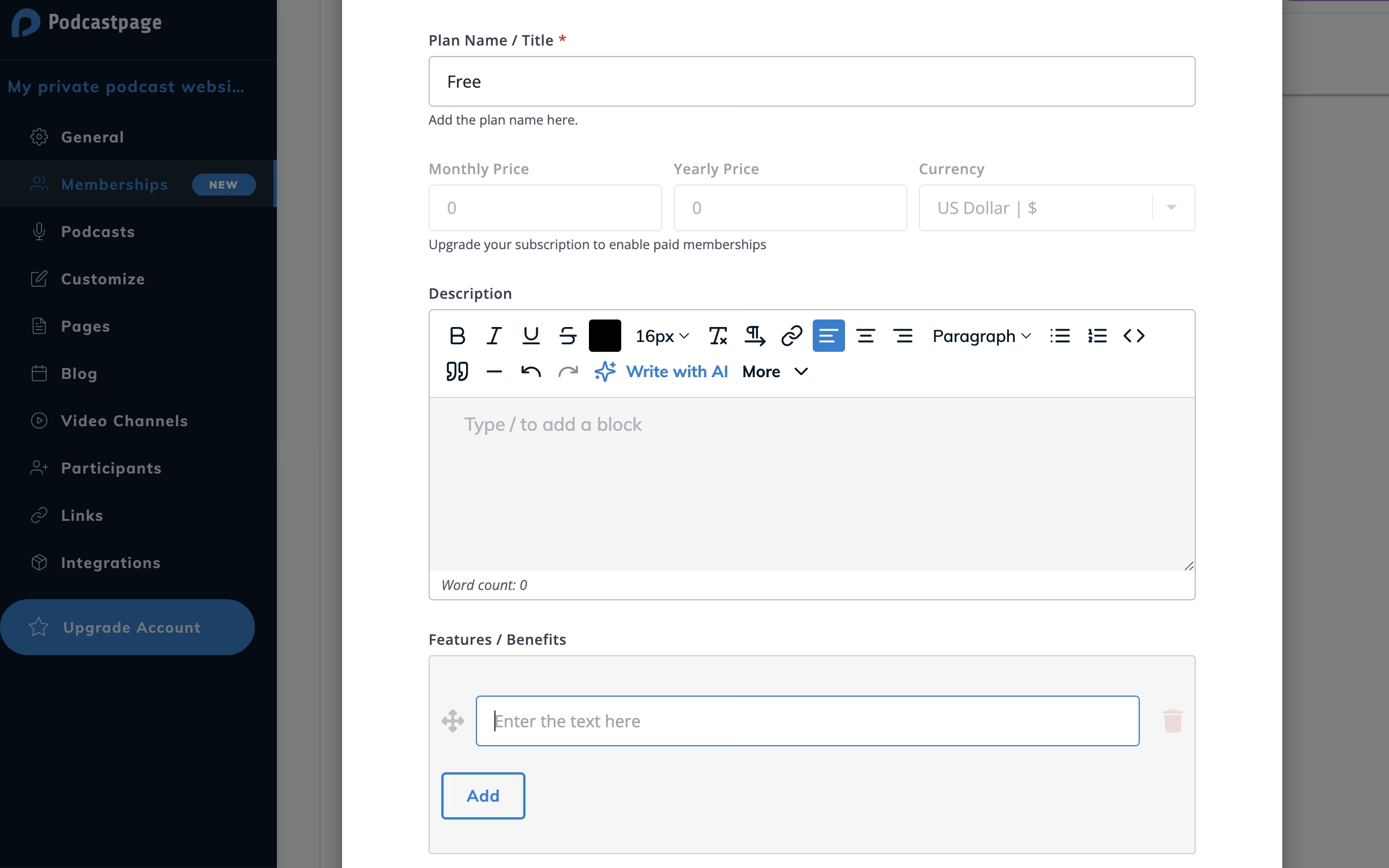
Then, you can add the unique features and benefits associated with this subscription. This might include early-release episodes, exclusive blog posts, behind-the-scenes content, community access, etc.
If you’ve activated Stripe to process your subscription payments, you’ll also be able to add the price of the premium plan. Make sure to save your work. Then, you might want to add other subscription tiers that offer different features/benefits.
3. Restrict Content Access
Most paid podcast subscriptions give listeners exclusive access to certain episodes, pages, videos, and more. That means you’ll have to restrict content access, so that it’s only available to subscribers.
When you add your paid membership tier, you’ll find a restriction section at the bottom of the editor:
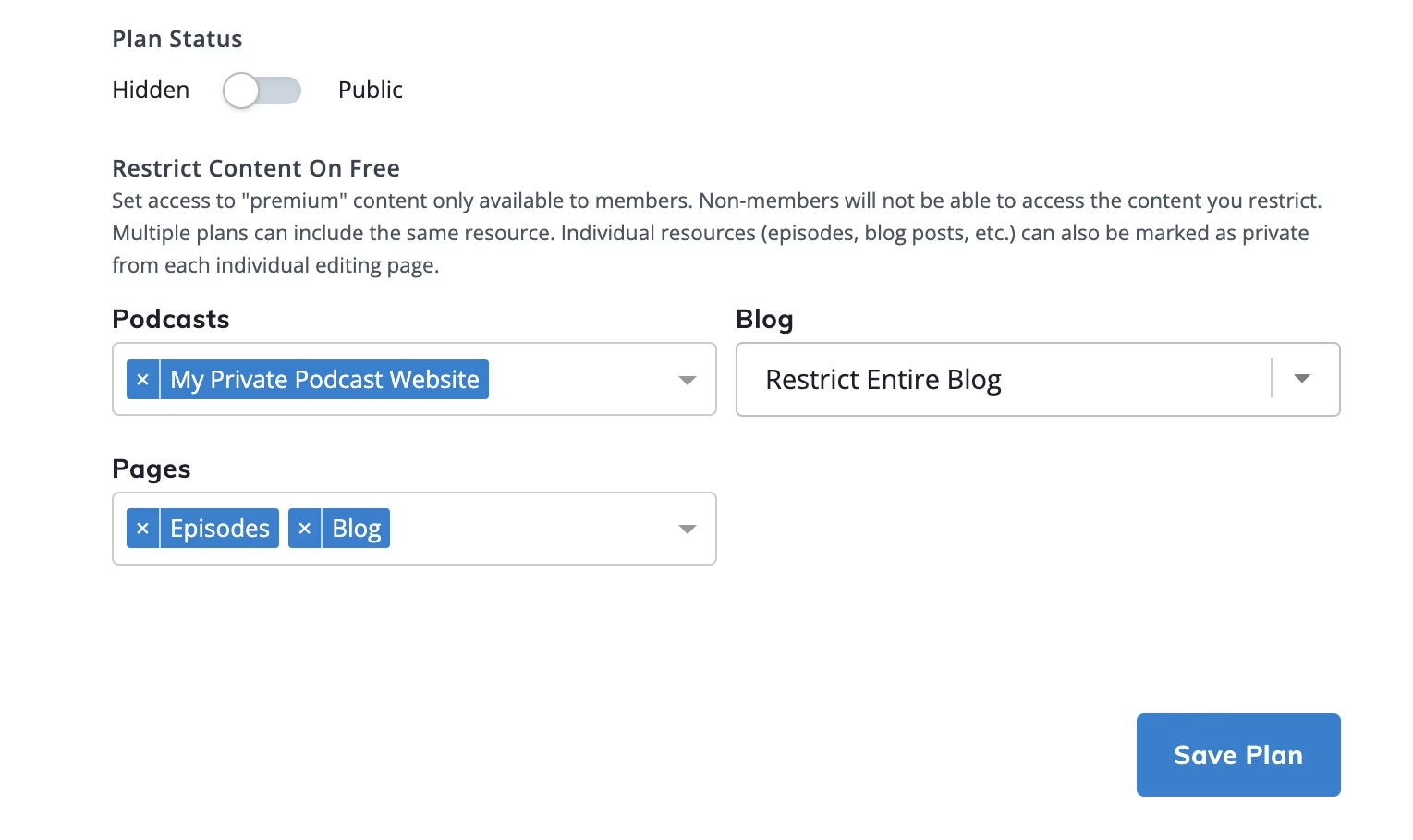
Here, you can determine exactly which blog posts, pages, and podcasts are available to these members.
But what happens when non-members request protected content? Well, they’ll see a user-friendly notice that encourages them to register or upgrade their plan:
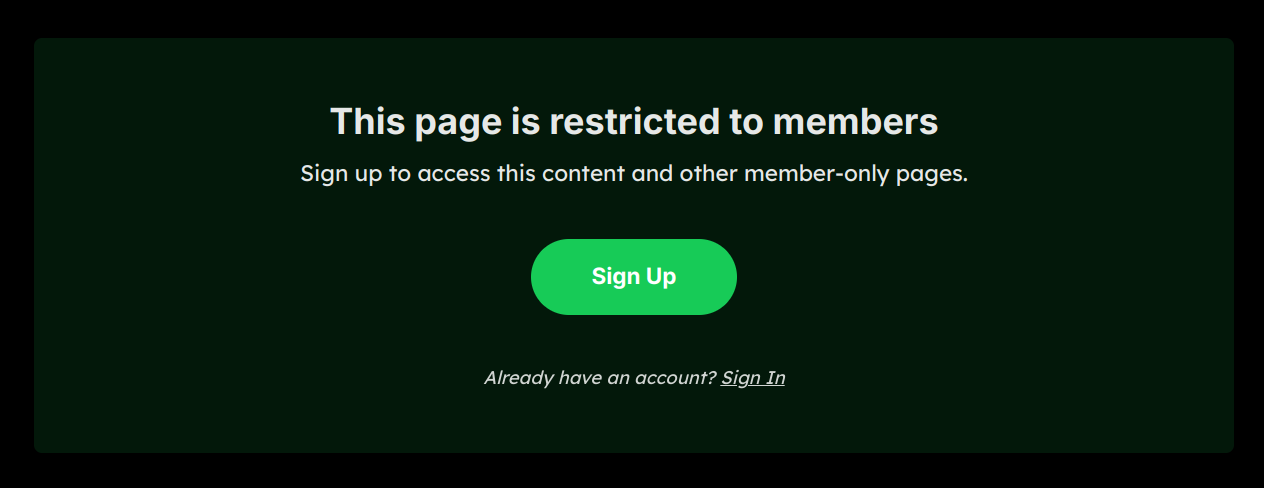
If you don’t want to restrict access to your whole podcast or blog, Beamly actually lets you protect individual episodes, blog posts, videos, etc. To do this, locate the specific episode and click on Edit.
Here, you should be able to locate a Restrict Access section:
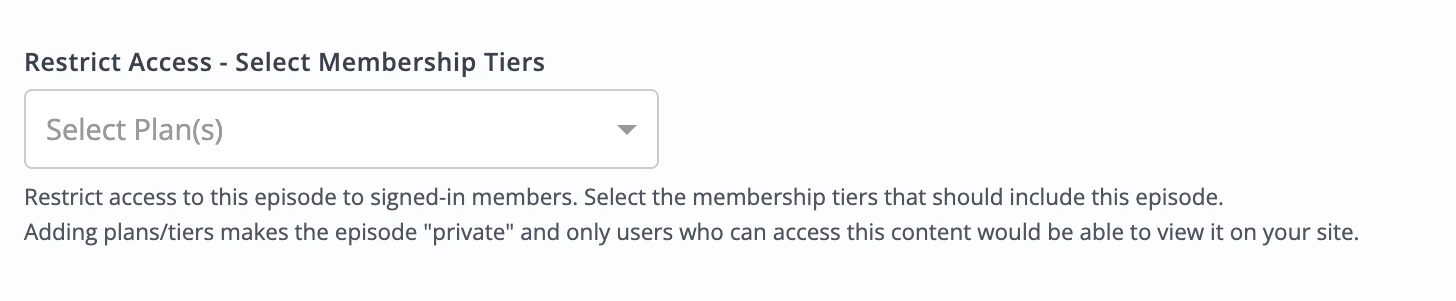
Then, simply use the dropdown menu to select the subscription tier(s) that should be able to interact with this content.
Conclusion
If you’ve got a sizable audience or a super unique podcast, it makes sense to introduce a paid podcast subscription tier. This is a great way to monetize your show without ads, and build a strong community.
To recap, here’s how to launch a paid subscription program:
- Create a podcast website.
- Add your subscription tier(s).
- Restrict content access.
Beamly offers a stress-free way to set up a podcast website. Since it has membership functionality built-in, you can do everything with just the one platform. Get started for free today!