Aggregating multiple podcasts on the same website can be useful if you host several shows or want to promote them. This way, listeners will be able to check out all their favorite shows from a single site without having to download multiple apps. The problem is that if you want to aggregate multiple podcasts on the same site – it might require a ton of work and functionality.
Many website platforms are not built for podcasting or for aggregating a large number of shows and episodes, and most of the “mini sites” provided by podcast hosting platforms only support one show per site.
Luckily, Beamly.com can solve all of these problems (and more!). You can easily create a podcast website that aggregates multiple shows with unlimited episodes. The process is super simple thanks to our intuitive podcasting-oriented website builder. In fact, it can take only a few minutes to create a brand new site with a few shows on it.
In this article, we’ll discuss some scenarios where it makes sense to aggregate multiple podcasts on the same website. We’ll then show you how to do this using Beamly.com. Let’s get started!
Why Add Multiple Podcasts to a Website
A lot of podcast websites tend to focus on a single show. That’s because the show’s hosts or creators build them specifically to promote their episodes, offer community features, and sometimes sell merchandise:

Aggregating multiple podcasts to a single website means that visitors can access more than one show from the same place. There are many reasons why you might do this.
For example:
- You host multiple shows. If you have the energy to host multiple podcasts and still run a website, kudos to you. Adding all these podcasts to a single site can make it easier for listeners to discover other content.
- You run a website that aggregates podcasts from the same network. A lot of podcasts are created or sponsored by networks or businesses, with the hosts being employees. If you work for one of these podcast networks, it makes sense to promote all of the shows it sponsors under a single website.
- You want to point listeners toward other shows you like or for cross-promotions. Some podcasters like to point listeners toward other shows they might like or that are in the same niche. You might also have an arrangement with another podcast to promote each other’s shows. Aggregating those shows on your site is a quick way to automate this.
As you can see, there are several scenarios where you might want to share episodes from multiple podcasts on a single website. Fortunately, Beamly offers an easy way to accomplish this.
How to Aggregate Multiple Podcasts on the Same Website (2 Steps)

In this tutorial, we’ll show you how to aggregate multiple podcasts on the same website using Beamly. So, let’s dive right in!
Step 1: Set Up a Podcast Website
Beamly.com enables you to launch a site for your show in minutes. To get started, you’ll need to sign up for an account and start your free trial.
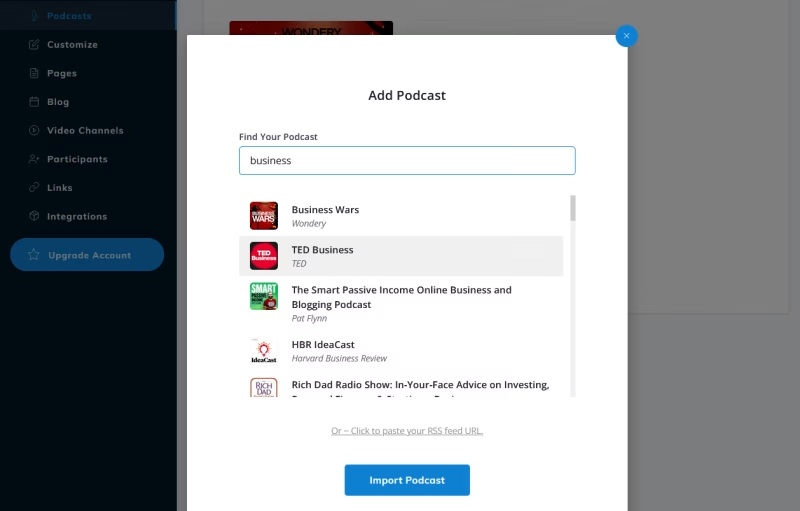
After you sign up and log into your account, you’ll get access to the Beamly dashboard where a short setup wizard would help you create your site and import your first podcast:

Simply type the name of the show in the search bar, and it should appear in the results (as you can see in the screenshot above). If your show isn’t public yet, but you have an RSS feed URL for it – you can easily just use the URL instead of the search option. This is helpful in case you have a private podcast, an unlisted podcast or your show just didn’t make it to the bigger platforms yet.
Since RSS is an open format, you don’t necessarily need to own a podcast to add it to your website. However, if you’re adding podcasts from other hosts, you’ll probably want to make that clear in the site’s copy. Also, be mindful of the creators’ terms: credit and link back to the original show, avoid implying endorsement, and do not monetize third‑party content in ways their license forbids. When in doubt, ask for permission.
Once you’ve added the podcast, the setup wizard will ask you to select a theme for your site:
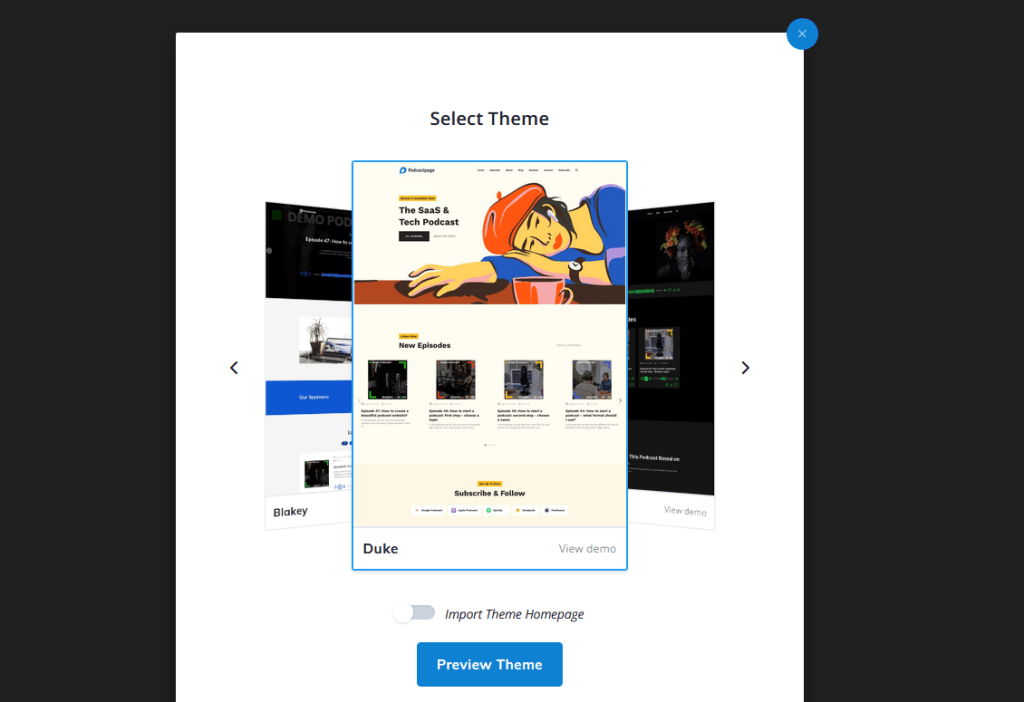
Beamly offers a sizable collection of modern themes for podcast sites. Pick whichever one suits the style of your show – you’ll be able to customize it later.
Now your podcast website is ready. You can get to work on customizing it and adding content:

If you want to learn more about styling your site, you can check out this guide on the site customizer options. However, you can return to the customizer later and finish designing your site after you’ve added your shows.
Step 2: Add Additional Podcasts to the Website
With your website ready to go, it’s time to add the other podcasts. If you visit your site right now, you’ll only see episodes from the podcast you added during the setup process:

To change that, return to the dashboard and go to the Podcasts tab. This is where you can review what shows you’ve added to the site.
To add a new one, click on Add another podcast:
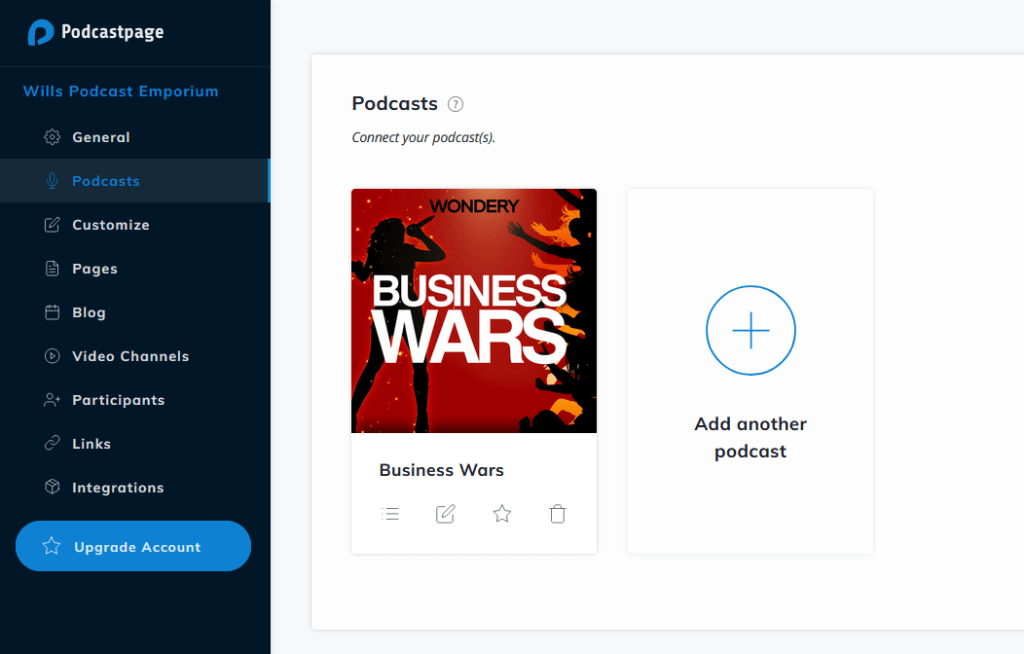
This will open a menu similar to the one you used during setup. You can use the Find Your Podcast search bar to select the show you want to add to your website and then click on Import Podcast:

As mentioned above – If you can’t find your show in the list, you can click to paste your RSS feed URL instead.
During your free trial, you can add up to 3 podcasts, but if you need more shows added to the website – you can easily upgrade to a paid account. (We even offer plans for websites with 500+ podcasts, to the sky is really your limit here!)
After adding new shows, there’s not much else you need to do. If you visit your website and go to the Episodes page, it will automatically display the latest episodes from all aggregated shows in order of release:
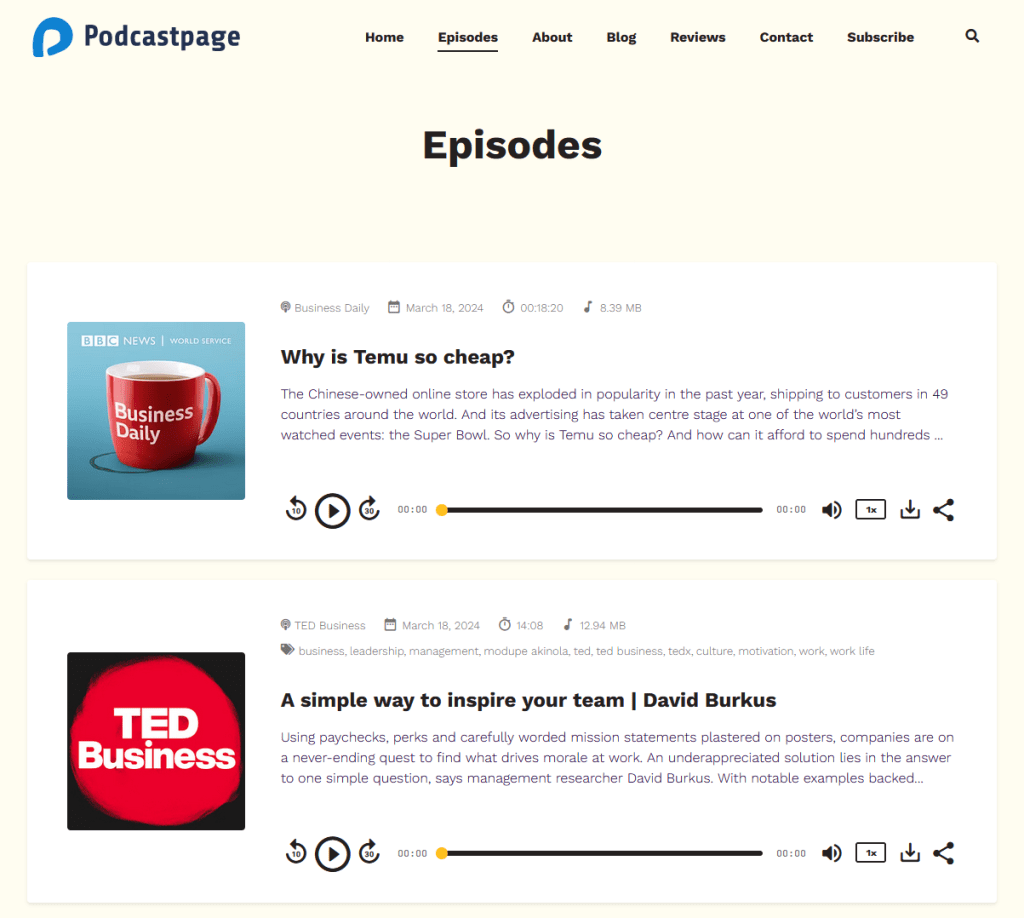
Each show gets its own individual page on the website, as well for each episode. The platform makes it super easy to create filters based on the show itself or on categories/tags so you can really display episodes in a variety of ways.
We’ve made it easy to aggregate multiple podcasts on your site, so you can easily create a podcast network website, list a bunch of your podcasts, showcase your appearances on other podcasts or simply highlight several shows in your niche.
That’s it! Beamly will continue syncing the latest episodes from all the podcasts you add to your site. This means you can focus on marketing your show instead of updating the website manually.
Tips for designing a great multi‑show site
- Give each show a clear home: create a dedicated page/URL per show with artwork, description, team, and subscribe links.
- Offer multiple discovery paths: add global “Latest Episodes” (across all shows), a Shows directory, and filters by category/tag, guest, or topic.
- Cross‑promote smartly: surface related episodes from other shows in sidebars or end‑of‑post blocks.
- Make navigation consistent: keep a persistent audio player and a clear path back to the Shows page from every episode.
- Mind SEO: use unique titles and meta descriptions per episode; avoid duplicate text across show notes when syndicating the same content.
Conclusion
Aggregating multiple podcasts on a website can be an effective way to drive attention to other shows that you present or recommend. If you’re part of a podcasting network, it’s also a good idea to have a website that advertises all the shows that it hosts.
If you use Beamly.com, you can easily aggregate multiple podcasts to your website. The process is simple, but you’ll need to sign up for the Business plan to be able to add multiple shows to your podcast site.
If you want to launch a website for multiple podcasts, sign up for Beamly.com today. We offer a 14-day free trial so you can test the platform before committing to it!